


ScanGauge II -Only $154.95 Shipped! 12 Digital Gauges!


Thread Starter
Senior Member


SL Member
Joined: Mar 2005
Posts: 1,486
From: Central Valley/Bay Area
 ScanGauge II -Only $154.95 Shipped! 12 Digital Gauges!
Updated the link... Bonus savings this week!
Click here and use Code SLFTW
Just in time, an easy way to keep an eye on your water and intake temperatures by simply plugging the ScangaugeII in, you can spot trouble before it starts!
With all the road trips you'll be going on the built in trip-o-meter will keep track of MPG, distance traveled, fuel used, max water temp, max speed, max RPM, average speed and more, as well as giving you those values from the prior day. Easy to install just plug it right in to the OBDII port under the dash and in just a few seconds you are all set!
Updated the link... Bonus savings this week!
Click here and use Code SLFTW
Here is a full list of the SG's functions (Yes all will ship with XGauge Software!)
SCAN TOOL
The ScanGaugeII allows you to troubleshoot your own car, read error codes, and the conditions present when the error occurred. You can also turn off the “Check Engine” light and avoid those costly trips to the mechanic.
Reads Trouble Codes
Reads conditions that set the Trouble Code
Clears Trouble Codes
Turns off the "Check Engine" light
Tells you when vehicle is "Ready" to pass OBDII testing
Make and store up to 10 rewritable special codes
to send to the vehicle computer
DIGITAL GAUGES
Display 4 gauges at a time from the 12 built-in digital gauges. the information is presented in Real-time!
Fuel Economy
Fuel Rate
Battery Voltage
Coolant Temperature
Intake Air Temperature
Engine Speed (RPM)
Vehicle speed (MPH)
Manifold Pressure (not available on some vehicles)
Engine Load
Throttle Position
Ignition Timing
Open/Closed Loop
TRIP COMPUTER
Automatically tracks four sets of trip data - Each with 11 individually stored parameters.
Maximum Speed
Average Speed
Maximum Coolant Temperature
Maximum RPM
Driving Time
Driving Distance
Fuel Used
Trip Fuel Economy
Distance to Empty
Time to Empty
Fuel to Empty
Here are some videos I did on some of the ScanGaugeII Functions and what not.
ScanGaugeII Overview http://vimeo.com/2183819
ScanGaugeII Setup http://vimeo.com/2013679
ScanGaugeII Trip Functions http://vimeo.com/2024577
ScanGaugeII Color Change http://vimeo.com/2024513
ScanGaugeII Digital Gauges http://vimeo.com/2024266
ScanGaugeII XGauge Setup (Horsepower) http://www.youtube.com/watch?v=R1WgEGAe5Y0
Click here and use Code SLFTW
Just in time, an easy way to keep an eye on your water and intake temperatures by simply plugging the ScangaugeII in, you can spot trouble before it starts!
With all the road trips you'll be going on the built in trip-o-meter will keep track of MPG, distance traveled, fuel used, max water temp, max speed, max RPM, average speed and more, as well as giving you those values from the prior day. Easy to install just plug it right in to the OBDII port under the dash and in just a few seconds you are all set!
Updated the link... Bonus savings this week!
Click here and use Code SLFTW
Here is a full list of the SG's functions (Yes all will ship with XGauge Software!)
SCAN TOOL
The ScanGaugeII allows you to troubleshoot your own car, read error codes, and the conditions present when the error occurred. You can also turn off the “Check Engine” light and avoid those costly trips to the mechanic.
Reads Trouble Codes
Reads conditions that set the Trouble Code
Clears Trouble Codes
Turns off the "Check Engine" light
Tells you when vehicle is "Ready" to pass OBDII testing
Make and store up to 10 rewritable special codes
to send to the vehicle computer
DIGITAL GAUGES
Display 4 gauges at a time from the 12 built-in digital gauges. the information is presented in Real-time!
Fuel Economy
Fuel Rate
Battery Voltage
Coolant Temperature
Intake Air Temperature
Engine Speed (RPM)
Vehicle speed (MPH)
Manifold Pressure (not available on some vehicles)
Engine Load
Throttle Position
Ignition Timing
Open/Closed Loop
TRIP COMPUTER
Automatically tracks four sets of trip data - Each with 11 individually stored parameters.
Maximum Speed
Average Speed
Maximum Coolant Temperature
Maximum RPM
Driving Time
Driving Distance
Fuel Used
Trip Fuel Economy
Distance to Empty
Time to Empty
Fuel to Empty
Here are some videos I did on some of the ScanGaugeII Functions and what not.
ScanGaugeII Overview http://vimeo.com/2183819
ScanGaugeII Setup http://vimeo.com/2013679
ScanGaugeII Trip Functions http://vimeo.com/2024577
ScanGaugeII Color Change http://vimeo.com/2024513
ScanGaugeII Digital Gauges http://vimeo.com/2024266
ScanGaugeII XGauge Setup (Horsepower) http://www.youtube.com/watch?v=R1WgEGAe5Y0
Last edited by 365Motorwerks; Apr 13, 2010 at 04:16 PM.
Thread Starter
Senior Member
SL Member
Joined: Mar 2005
Posts: 1,486
From: Central Valley/Bay Area
Mounting options...a few of the many creative ways...
xA's
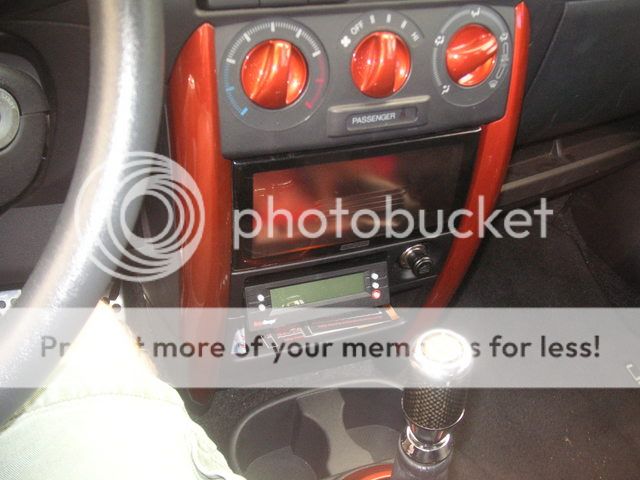
xB's


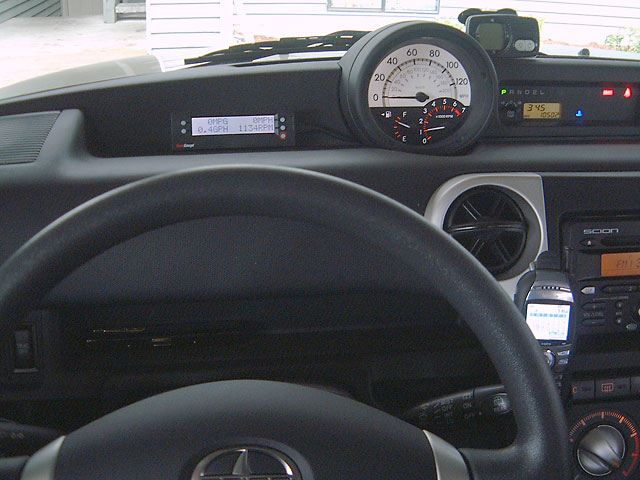


tC's
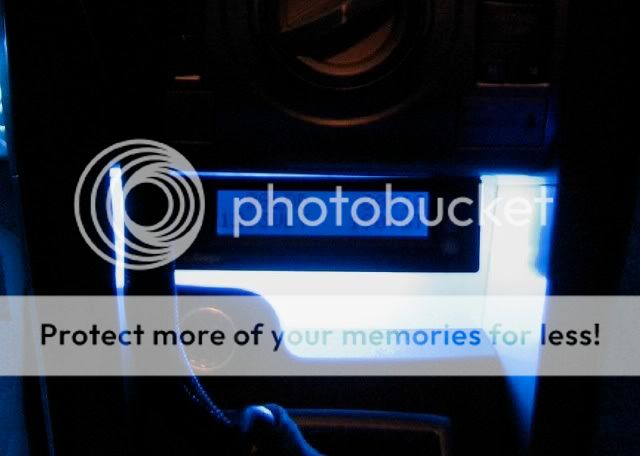
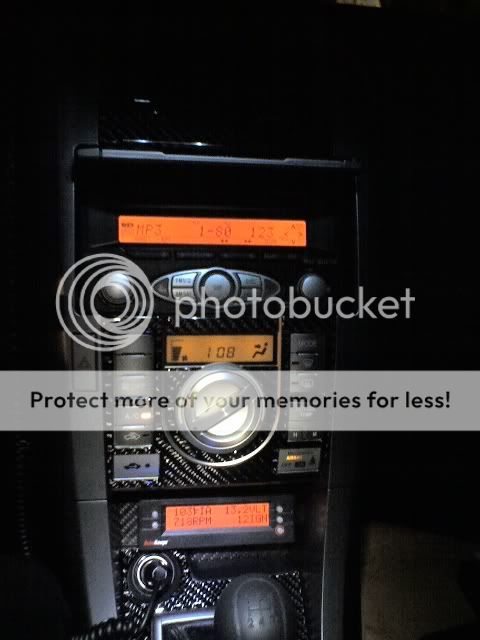
Various mounting options but one of the cooler methods is a custom cover made by dr_isotope you can PM him or order direct here... http://www.doctorisotope.com


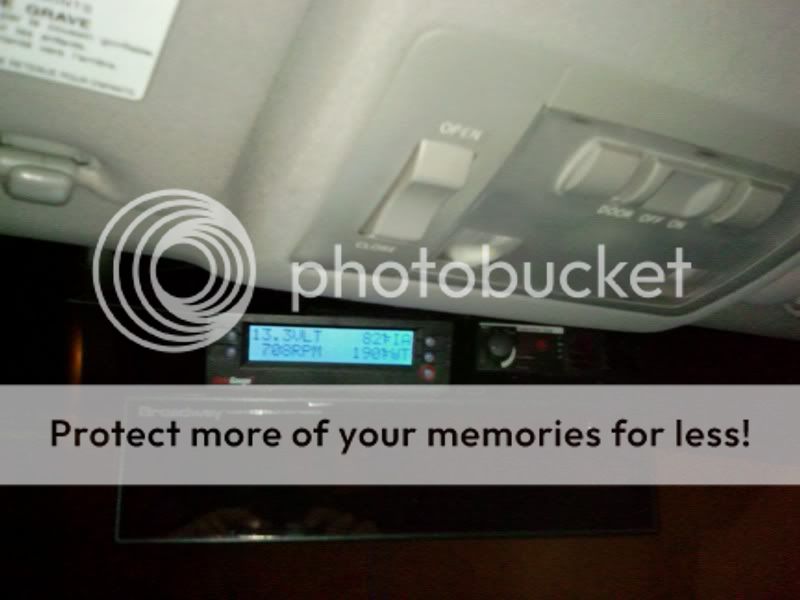
xA's
xB's
tC's
Various mounting options but one of the cooler methods is a custom cover made by dr_isotope you can PM him or order direct here... http://www.doctorisotope.com


Admin Emeritus

SL Member
Joined: Jan 2005
Posts: 14,570
From: University Place, WA
Vanilla (my xB) has a ScanGauge II from Zack, and it fits well, works well. Lets you see what your ECU is thinking, and has a lot of good functions. Thing is, if Vanilla ever throws a tantrum (code) I can read it and know what her problem is - and once I fix it, I can reset the code.
Nice unit, excellent price.
Tom
Nice unit, excellent price.
Tom
Thread Starter
Senior Member
SL Member
Joined: Mar 2005
Posts: 1,486
From: Central Valley/Bay Area
Lookin' good box_x! That shelf was made for the ScanGauge! Also I'm jealous looking at those steering wheel radio controls  ! I don't know how your cable goes but if you lower the steering colum you can push the wire through and have it go right to the OBDII without being in your way with little hassle and it's still easy enough to pull out..if anybody is ever interested I do have extra cables if you want route your cables behind the dash and still be able to use the gauge in another car...
! I don't know how your cable goes but if you lower the steering colum you can push the wire through and have it go right to the OBDII without being in your way with little hassle and it's still easy enough to pull out..if anybody is ever interested I do have extra cables if you want route your cables behind the dash and still be able to use the gauge in another car...

Member
SL Member
Joined: Nov 2006
Posts: 83
From: Nashville, TN
The cable is run between the steering column and the trim around it. I toyed with the idea of cutting a hole behind where the gauge is and feeding it through there - but I didn't. The flash of the camera makes the exposed cable look worse than it does when I am driving the car  .
.
The cable itself is not that large, but the RJ connector on the end would mean a good sized hole.
Having one for each car (made more possible by the nice price) is the way to go - so you can "train" the MPGs and get it right. Moving from car to car means you lose all that each time. Also, you can correct the speedo using a GPS and then have it "spot on" and use that rather than the known off analog speedo.
Dennis
.The cable itself is not that large, but the RJ connector on the end would mean a good sized hole.
Having one for each car (made more possible by the nice price) is the way to go - so you can "train" the MPGs and get it right. Moving from car to car means you lose all that each time. Also, you can correct the speedo using a GPS and then have it "spot on" and use that rather than the known off analog speedo.
Dennis

Senior Member

SL Member
Joined: May 2006
Posts: 3,172
From: Bay Area
wow thats exactly what im looking for...
how long is this sale going to last?
any night shots?
what colors can the backlit be? (looking specifically for white or blue)
edit: nvm found it
thanks in advance! :D
how long is this sale going to last?
any night shots?
what colors can the backlit be? (looking specifically for white or blue)
edit: nvm found it
thanks in advance! :D
Thread Starter
Senior Member
SL Member
Joined: Mar 2005
Posts: 1,486
From: Central Valley/Bay Area
Originally Posted by ADRdesignCo
wow thats exactly what im looking for...
how long is this sale going to last?
any night shots?
what colors can the backlit be? (looking specifically for white or blue)
edit: nvm found it
thanks in advance! :D
how long is this sale going to last?
any night shots?
what colors can the backlit be? (looking specifically for white or blue)
edit: nvm found it
thanks in advance! :D
Here is pink at night!

Club price will be going on for a bit so plenty of time!


Thread Starter
Senior Member
SL Member
Joined: Mar 2005
Posts: 1,486
From: Central Valley/Bay Area
Pull the small removeable panel off down at the bottom left of your dash below the wheel...there are also some fuses down there so your manual will show you where the fuses are..
Admin Emeritus
SL Member
Joined: Jan 2005
Posts: 14,570
From: University Place, WA
Odd thing noticed: Surprisingly, the OBDII connector on the end of the ScanGauge II cable is actually more rugged and higher quality than most of those I've seen on much more expensive professional OBDII testers. For some reason that impressed me.
Tom
Tom

Thread Starter
Senior Member
SL Member
Joined: Mar 2005
Posts: 1,486
From: Central Valley/Bay Area
It's a little more than a 1/2" probably to thick for the visor to look good visually, but they are light so velcro would hold it up there.. tkanaz talk to you Friday ;)