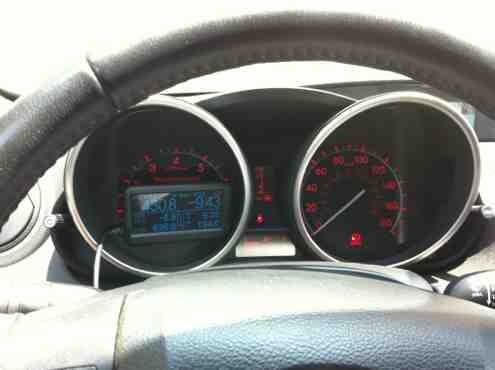
Ultragauge digital gauge/scanner tool


Thread Starter
Member

SL Member
Joined: Apr 2012
Posts: 83
 Ultragauge digital gauge/scanner tool
So I had been looking for a solution to the lack of temp gauge in my 2011 XB. One of the ideas was to get a ScanGauge II for it but that is $159.99 at most places and I have a hand held scan tool that does most of the same things so I could not justify paying so much for the thing. A friend of mine mentioned a scan device by a company called Ultragauge. I took a look at the website ultra-gauge.com to check it out. It looked good and is price right now at $69.99 plus shipping. I looked over the net to see reviews and all that have it seemed to like it and have no issue with it. It seems to be a must have tool on the FJ Cruiser and Tacoma forums and a person on the cleanMPG website gives a review on it
http://www.cleanmpg.com/forums/showthread.php?t=34321
So I figured what the hell at $74 shipped i could try it. I just got it today and it looks better then I expected(size wise) and I will have more indepth pics up later when it is installed but here are some opening of the box pics
The box

The unit
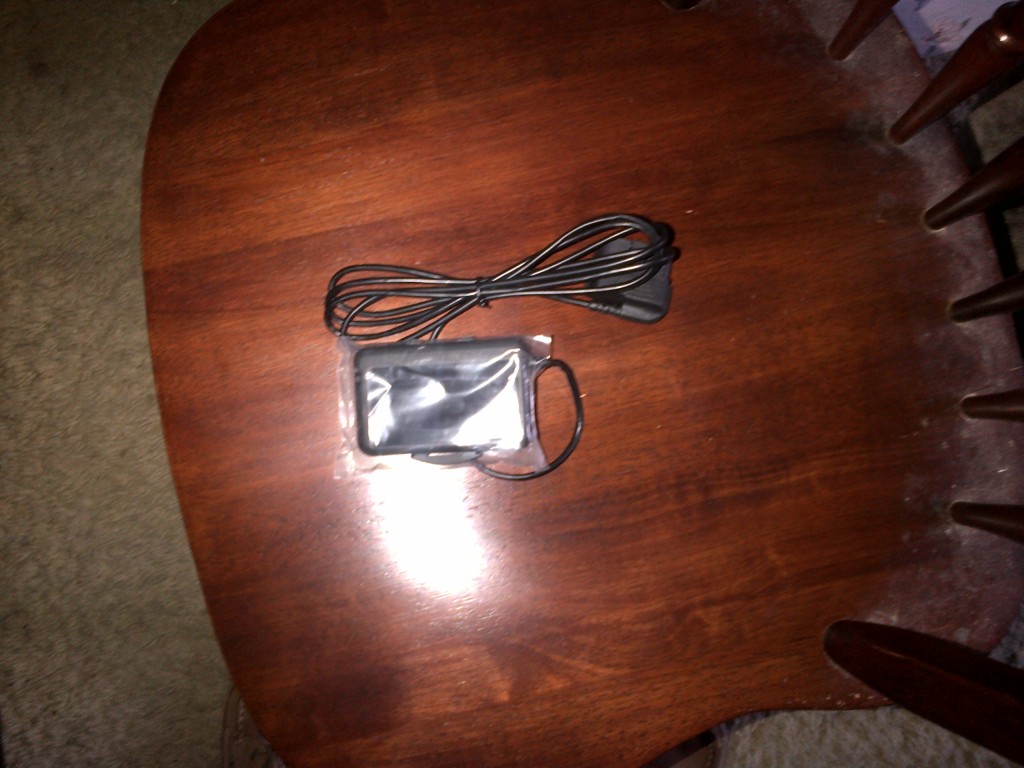
Comparison to regular business card
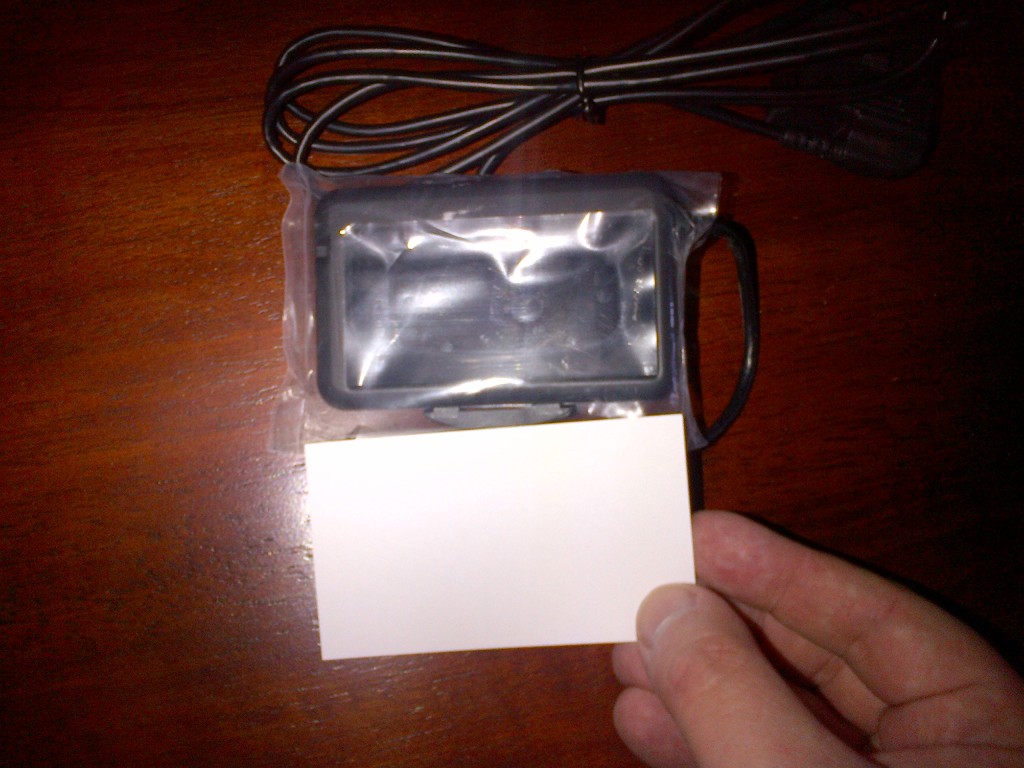
Closeup to business card
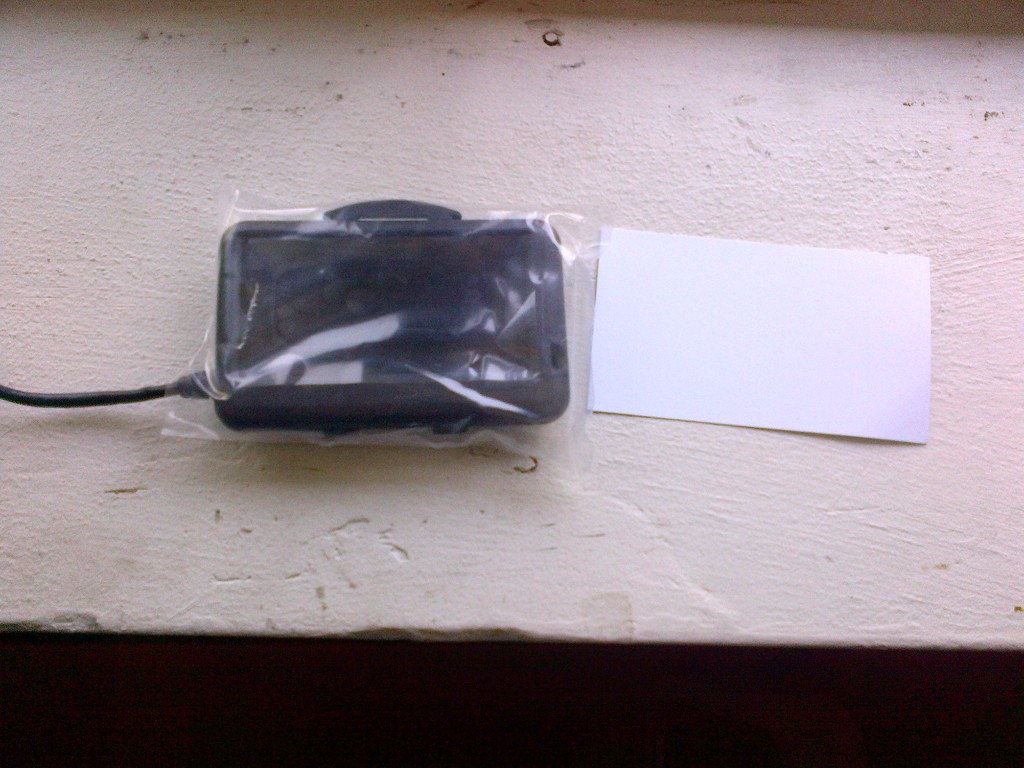
It is small and will fit perfectly in front of the bottom of the gas gauge
With the dash cover, the wire is hidden well. It seems like a good deal at a fraction of the price of a SGII. Hell even if the only thing it does good is tell me the temp then that is worth it to me.
More pics of it later
http://www.cleanmpg.com/forums/showthread.php?t=34321
So I figured what the hell at $74 shipped i could try it. I just got it today and it looks better then I expected(size wise) and I will have more indepth pics up later when it is installed but here are some opening of the box pics
The box
The unit
Comparison to regular business card
Closeup to business card
It is small and will fit perfectly in front of the bottom of the gas gauge
With the dash cover, the wire is hidden well. It seems like a good deal at a fraction of the price of a SGII. Hell even if the only thing it does good is tell me the temp then that is worth it to me.
More pics of it later
Last edited by journeyforce; May 11, 2012 at 06:30 PM.
Thread Starter
Member
SL Member
Joined: Apr 2012
Posts: 83
WTF indeed. Toyota is partying like it is 1988 with the lack of temp gauge and the mighty 4-speed auto trans. What boggles my mind is that the 08-10(same body style) had this gauge


Thread Starter
Member
SL Member
Joined: Apr 2012
Posts: 83
Here are some first install pics.
FIRST OFF!!!! before you plug the device into the OBDII port for the first time make sure you turn the ign to run(i.e. the position that turns all the lights and gauges on). this will allow the device to configure itself to the car and know when you turn the ign off and turn off the car and will turn off right away. Failure to do this step could cause the unit to stay on and run your batter down
I did the install but need to get some velcro from the craft store for what I want to do with this device.
I could not attach it to the cluster like I wanted to do because it causes to much distortion at that angle. I moved it to right in front of the steering wheel and ran the wire down to the ODBII connector behind the dash(I extended the wheel out all the way and lowered it all the way and that allowed a big enough gap to slide the connector behind the steering wheel.
I then hid the wire under my dash mat so as to keep the place wire free. The unit is able to be removed but is still semi permanent in the fact the wire is behind the dash. It is going to live in this car as my other car has a temp gauge
I zip tied the excess wireage(is this a word???? ) to the wire harness while leaving some slack to unplug and plug the unit into the connector. But tied it down enough to keep it from being under foot.
The device has about 37 out of 56 gauges available to the XB and you can have 2, 4, 6, 8 gauges on a page. You can also have a max of 7 pages. I have only two on the first page (Battery voltage and engine coolant temp) which are the only things I bought it for BUT for everybody else the device has loads of gauge possibilities. There are 3 buttons on the back(Mode, Up, Down) they are easy to use and quite responsive. The backlight color cannot be changed on this device ( i think on the scangauge you can) BUT because the unit is lit the way it is, it is good in any light and glare does not affect it. It also has a sensor on the front that brightens or dims the display according to the light.
I like the display, even though the unit is smaller then the SGII the display is larger then the SG and that helps with quick glances.
I have not driven it to see it in action yet(that will be monday) but I ran it for an hour and the temp gauge works well and updates quickly(i.e. it works in real time and not a refresh 2 mins later)
My initial thoughts are that if you are wanting a SG and wanting to pay less coin then give this device a try
Here are some pics
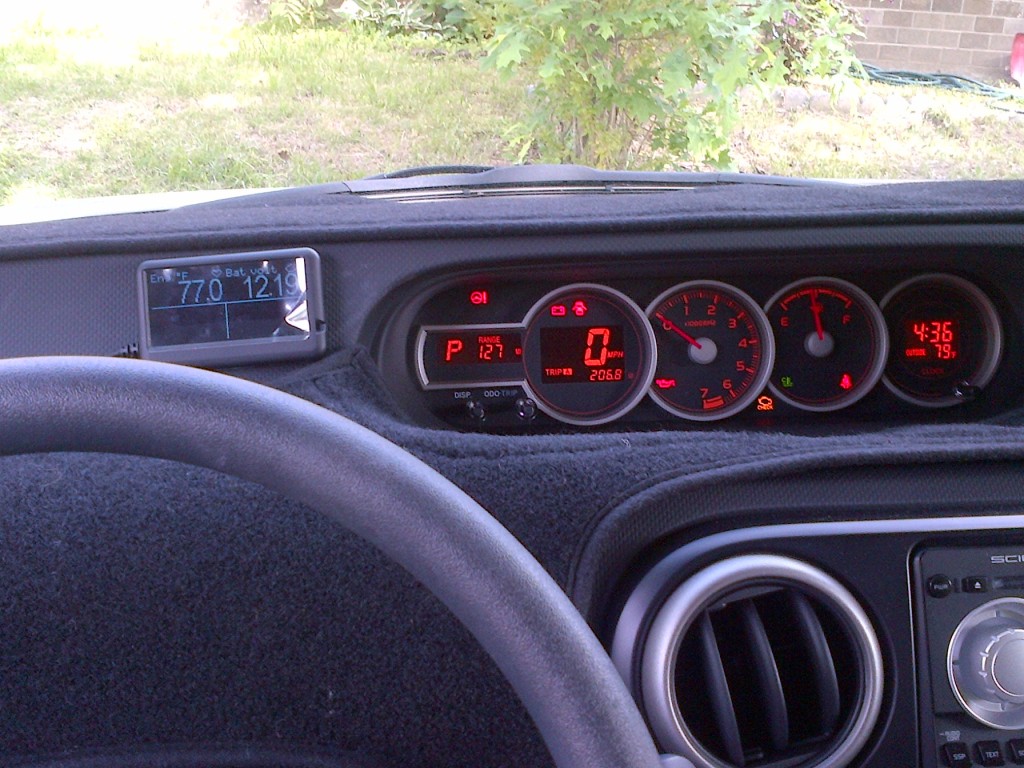

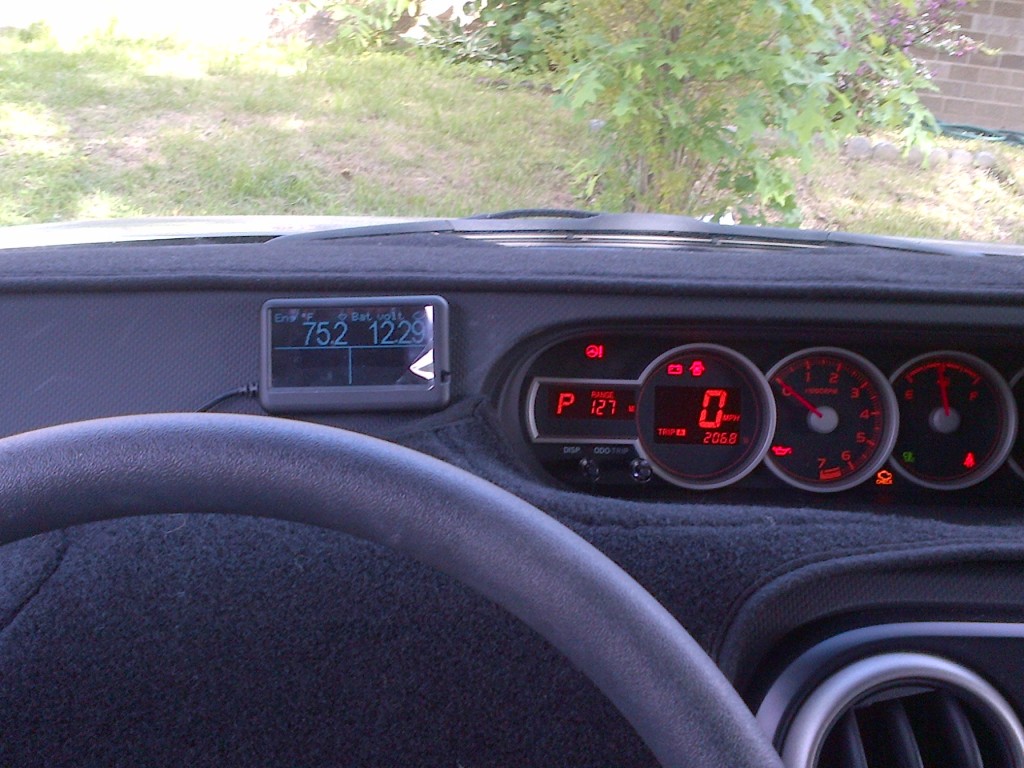
where the wire goes
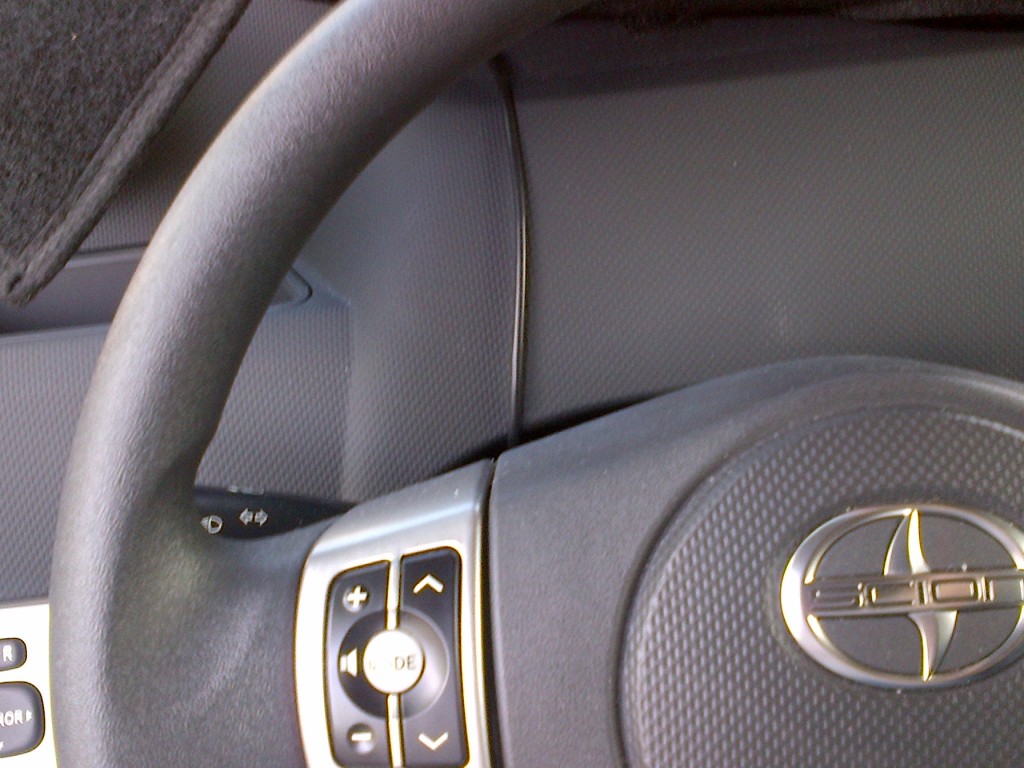
The place where the connector is
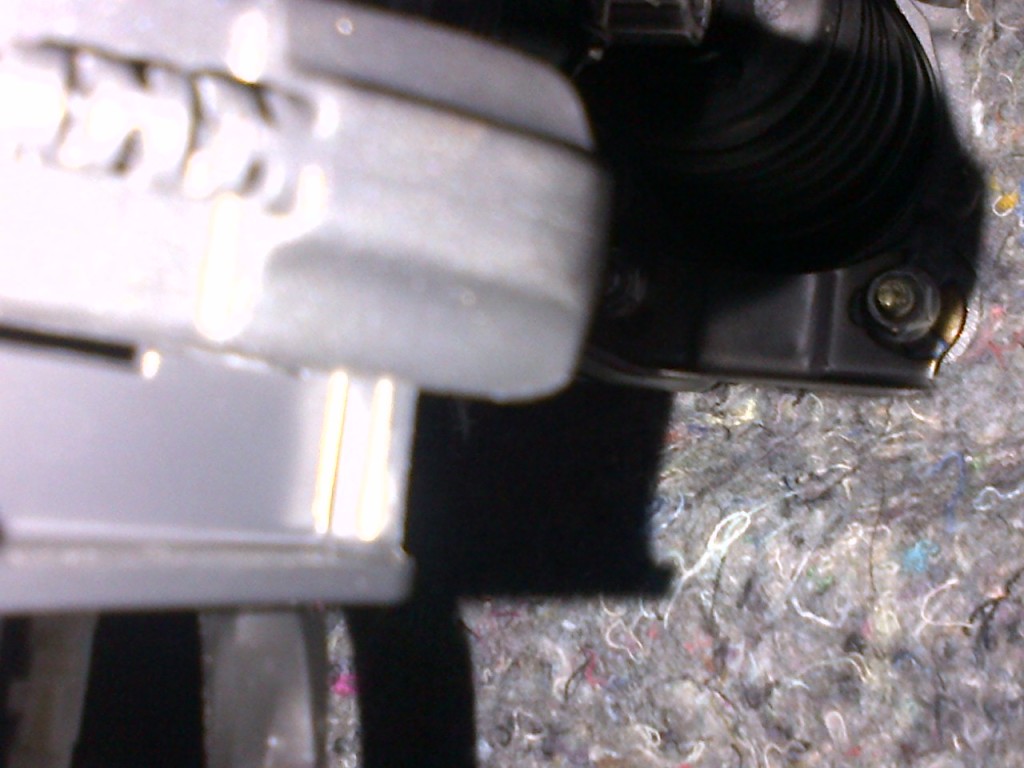
Now the screen looks a bit distorted and plasticy. This is because I did not yet take off the plastic screen protector from the factory
FIRST OFF!!!! before you plug the device into the OBDII port for the first time make sure you turn the ign to run(i.e. the position that turns all the lights and gauges on). this will allow the device to configure itself to the car and know when you turn the ign off and turn off the car and will turn off right away. Failure to do this step could cause the unit to stay on and run your batter down
I did the install but need to get some velcro from the craft store for what I want to do with this device.
I could not attach it to the cluster like I wanted to do because it causes to much distortion at that angle. I moved it to right in front of the steering wheel and ran the wire down to the ODBII connector behind the dash(I extended the wheel out all the way and lowered it all the way and that allowed a big enough gap to slide the connector behind the steering wheel.
I then hid the wire under my dash mat so as to keep the place wire free. The unit is able to be removed but is still semi permanent in the fact the wire is behind the dash. It is going to live in this car as my other car has a temp gauge
I zip tied the excess wireage(is this a word????
) to the wire harness while leaving some slack to unplug and plug the unit into the connector. But tied it down enough to keep it from being under foot.The device has about 37 out of 56 gauges available to the XB and you can have 2, 4, 6, 8 gauges on a page. You can also have a max of 7 pages. I have only two on the first page (Battery voltage and engine coolant temp) which are the only things I bought it for BUT for everybody else the device has loads of gauge possibilities. There are 3 buttons on the back(Mode, Up, Down) they are easy to use and quite responsive. The backlight color cannot be changed on this device ( i think on the scangauge you can) BUT because the unit is lit the way it is, it is good in any light and glare does not affect it. It also has a sensor on the front that brightens or dims the display according to the light.
I like the display, even though the unit is smaller then the SGII the display is larger then the SG and that helps with quick glances.
I have not driven it to see it in action yet(that will be monday) but I ran it for an hour and the temp gauge works well and updates quickly(i.e. it works in real time and not a refresh 2 mins later)
My initial thoughts are that if you are wanting a SG and wanting to pay less coin then give this device a try
Here are some pics
where the wire goes
The place where the connector is
Now the screen looks a bit distorted and plasticy. This is because I did not yet take off the plastic screen protector from the factory
Thread Starter
Member
SL Member
Joined: Apr 2012
Posts: 83
hmm to bad you cant change the color to match your dash... I also don't like that the buttons are on the back. However, I do really like how big the display is. Thats probably my biggest gripe about the SG, that ish can be hard to read!
Thread Starter
Member
SL Member
Joined: Apr 2012
Posts: 83
The buttons are a double edged sword, on the one hand the buttons are protected from being bumped but on the other they are in the back. The good news is you can set the unit to scroll through each of the 7 pages at a preset interval( for example 6 sec or 10 sec etc) They sell a suction mount kit for this unit but I think it looks cartoonish with the small size of the device
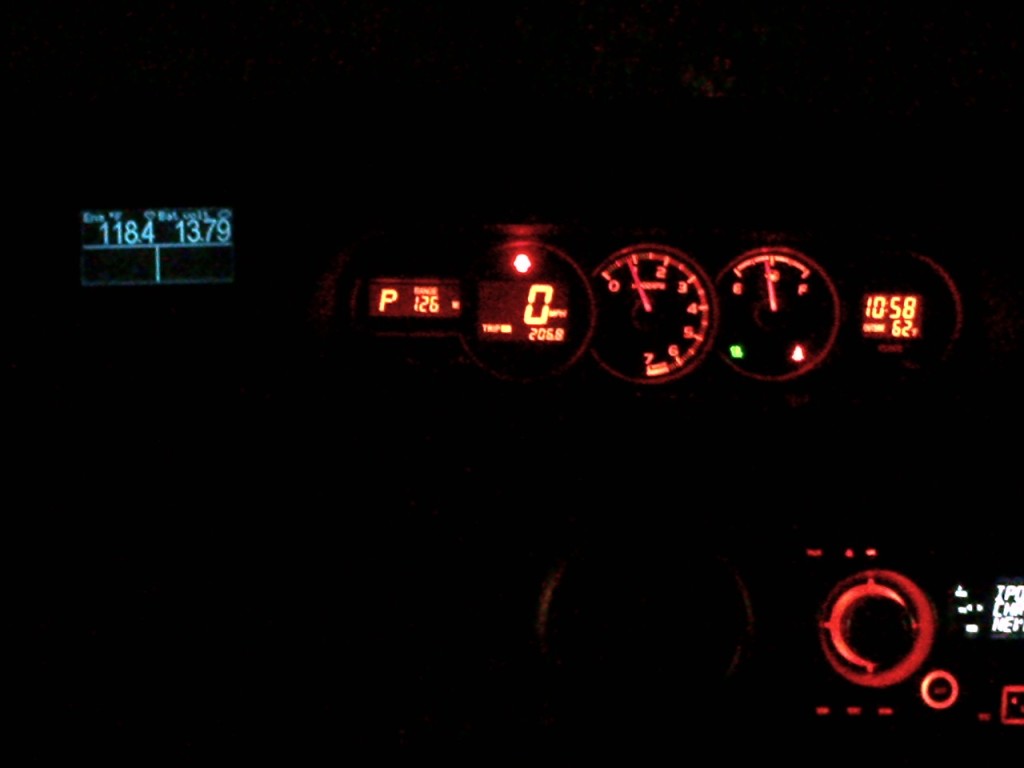
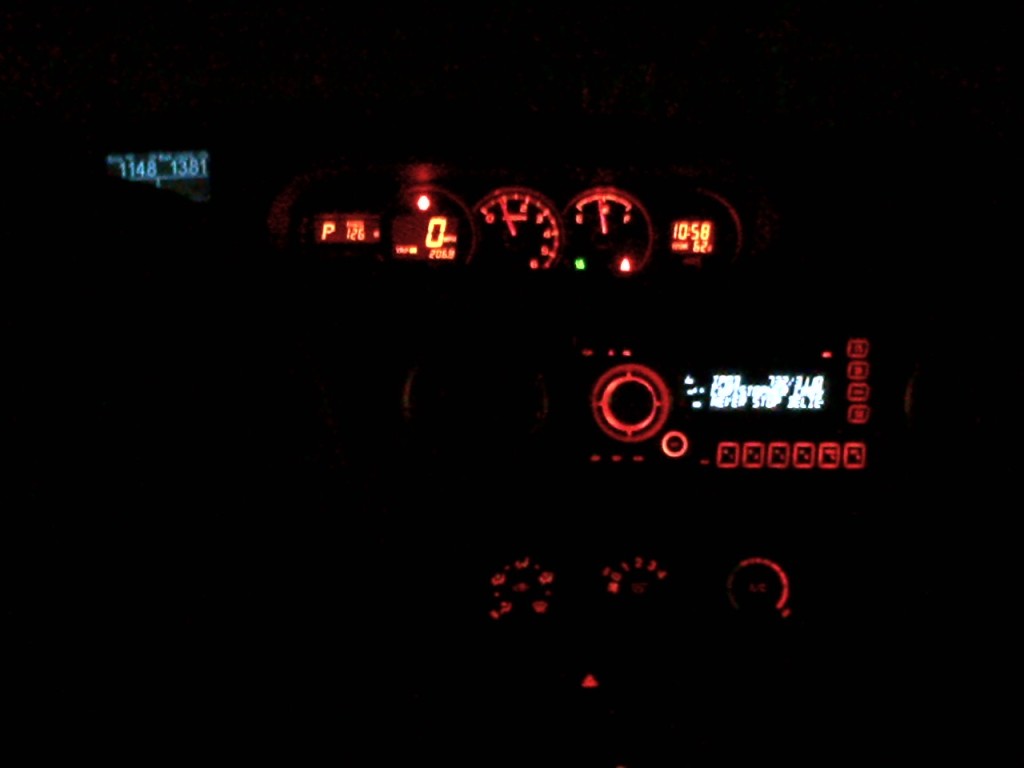
I like the color as it is a nice contrast to the other gauges so that I don't have to take my eyes off the road too long to look at the gauge. It also dims on its on to the amount of light there so it matches the intensity of the other gauges so it is not an in your face eyes draw.
Here are a few pics of the gauge in contrast to the cluster at night. Please pardon my pics as I used a Blackberry which sucks @$$
With flash

Without flash


Senior Member
SL Member
Joined: May 2011
Posts: 199
Got the Ultragauge today . Quick to set up , just basically plug it in . Didn't get a change to go over everthing . Set up Temp & Volts to start with . Least I now know whats going on . Usually it's to late once the idoit light comes on .
Thread Starter
Member
SL Member
Joined: Apr 2012
Posts: 83
You got it quick.
I never thought to mount it in that location. One thing though, that plastic clip that attaches to the back of the device and which you have the velcro attached to is really flimsy and cheap. Some folks have noted the little clips on that plastic clip that hold the ultragauge to the clip break easy.
I went to Michaels (a craft/hobby chain in the USA) and bought a few pieces of double sided foam(i.e. it has adhesive on both sides to mount it to something and then allows that mounted something to be mounted) and attached that foam to the back of the unit and then got some heavy duty velcro and attached it to the foam and stuck it on the dash
It does look good at night and does not distract or over power the gauge cluster. I ran mine through the gap between the steering wheel and the dash and then zip tied the excess wire length to a thick harness under the dash
I never thought to mount it in that location. One thing though, that plastic clip that attaches to the back of the device and which you have the velcro attached to is really flimsy and cheap. Some folks have noted the little clips on that plastic clip that hold the ultragauge to the clip break easy.
I went to Michaels (a craft/hobby chain in the USA) and bought a few pieces of double sided foam(i.e. it has adhesive on both sides to mount it to something and then allows that mounted something to be mounted) and attached that foam to the back of the unit and then got some heavy duty velcro and attached it to the foam and stuck it on the dash
It does look good at night and does not distract or over power the gauge cluster. I ran mine through the gap between the steering wheel and the dash and then zip tied the excess wire length to a thick harness under the dash
Senior Member
SL Member
Joined: May 2011
Posts: 199
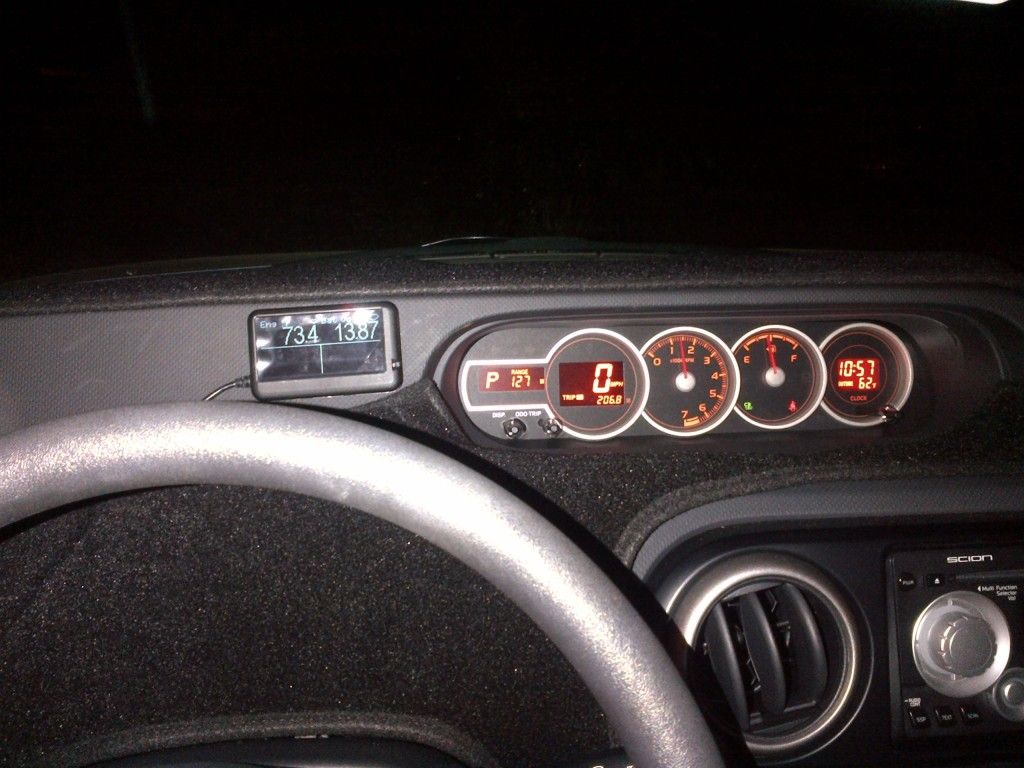
Yeah pretty quick with FedX . Didn't have much time to get to it all . Set it up in about 5 min . Started with the Temp & Volts for now . Got some velcro from Home Depot and ran the wire same as you . I can remove the screen by tearing the velcro away . Like the look at night , can't belive I've waited this long .

 !
!


Hey. I was hesitant to post on a older thread, but its really not that old.
How is the gauge holding up now? How about to heat and summer sun? I was excited to see this product as I had been getting all my info from a HKS Turbo Timer, but this Gauge seems to have it all, and can compete with the ScanGauge.
Any update would be appreciated. Firmware 1.2 just came out a few weeks ago so its nice to see they have been supporting this product. (I think its been in the market since 2010)
How is the gauge holding up now? How about to heat and summer sun? I was excited to see this product as I had been getting all my info from a HKS Turbo Timer, but this Gauge seems to have it all, and can compete with the ScanGauge.
Any update would be appreciated. Firmware 1.2 just came out a few weeks ago so its nice to see they have been supporting this product. (I think its been in the market since 2010)

Thread Starter
Member
SL Member
Joined: Apr 2012
Posts: 83
Sorry folks I forgot about this thread
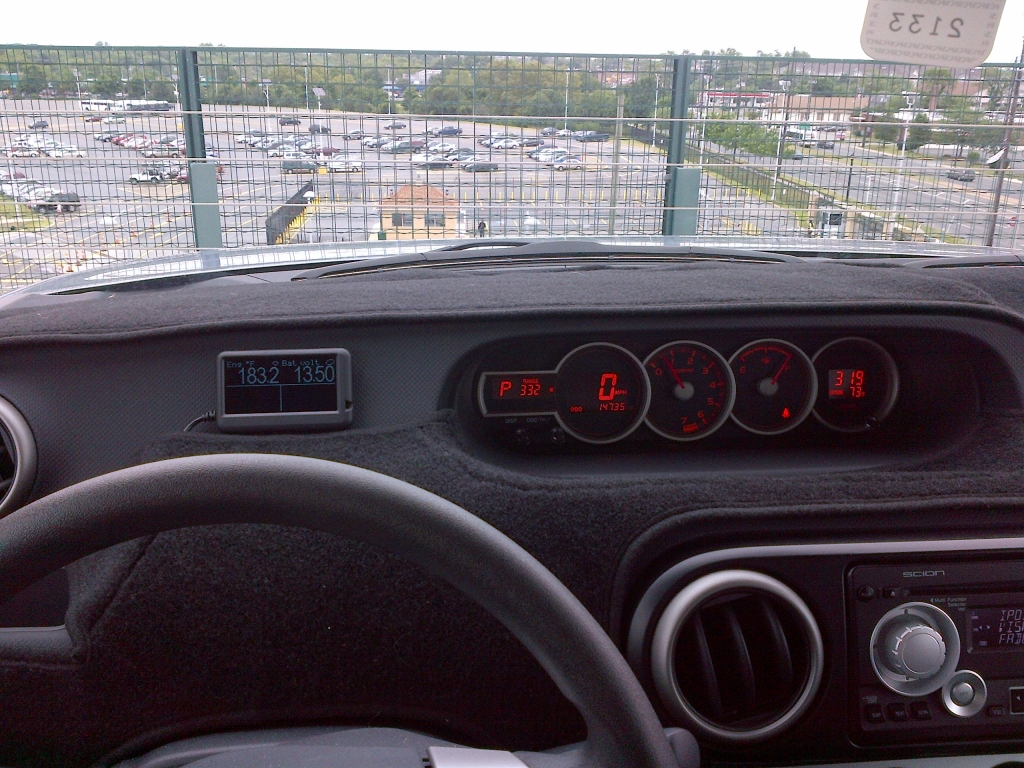
So as to update my Ultragauge experience, I have owned it for several months now and I am still impressed with it. it holds up in heat very well. In Maryland DC VA area where i live and work the temps have been quite hot with 100 degrees with the humidity. The UG has held up like a trooper. When it gets to hot for its comfort it will beep loudly about every 2 minutes until it cools off or you unplug it. You can shut this alarm off or raise or lower the sound level. I have mine stuck to velcro in the area of the dash that would have been where the gauge cluster sat on other cars. and the wire covered by my dash mat
Here is an updated pic
I am happy to report that the unit shuts off when you turn the car off and does not use any power while off. I left the car sitting for 3 weeks while I drove the other car or was away on travel and it started up fine so there is no battery drain(or very little from the unit)
Things I have noticed:
1. The battery voltage when the car is running(even when cold and first started) is always in the 13 volt range. I don't know if the Scion alternator only puts out 13 volts max or if the port is limited to 13 volts. I have not been motivated to bust out my multimeter and test voltage at the battery when first running to see what it is. I bought it for the thermo display not the battery display so I am not so concerned if it is not 100% right.
2. The Scion fan seems to come on around 202 to 205 degrees Fahrenheit and shuts off around 194 or 195 degrees.
3. The screen is visible at all times of the day and night and even under direct sun light and much better then the Scan gauge II when it comes to being visible. I have a friend with a SG II and I had to take a second look at it to get the readings where as with the UG a quick glance is all that is needed.
4. While the optional suction cup mount might be sturdy the clip that comes with the device to ether use it on the mount or with velcro is cheap and flimsy.I ended up going to the local craft store and buying some foam squares (the kind with the adhesive on one side) and stuck that to the back of it then bought some velcro squares and stuck the adhesive part of the velcro to the foam and the other part to the dash and attached the device that way. You could get away with just velcro but the buttons are on the back of the UG so that helps them from being bumped.
The mount looks cheesy with the device attached because the device is so small in comparison. I advise not getting the mount ans saving some money.
Is the UG better or the same as the SG II? I am not really sure since that requires having both devices for a long term comparison. I can say it is good enough for my needs and also I like how it is half the price of the SGII
I am happy with the purchase of my UG
So as to update my Ultragauge experience, I have owned it for several months now and I am still impressed with it. it holds up in heat very well. In Maryland DC VA area where i live and work the temps have been quite hot with 100 degrees with the humidity. The UG has held up like a trooper. When it gets to hot for its comfort it will beep loudly about every 2 minutes until it cools off or you unplug it. You can shut this alarm off or raise or lower the sound level. I have mine stuck to velcro in the area of the dash that would have been where the gauge cluster sat on other cars. and the wire covered by my dash mat
Here is an updated pic
I am happy to report that the unit shuts off when you turn the car off and does not use any power while off. I left the car sitting for 3 weeks while I drove the other car or was away on travel and it started up fine so there is no battery drain(or very little from the unit)
Things I have noticed:
1. The battery voltage when the car is running(even when cold and first started) is always in the 13 volt range. I don't know if the Scion alternator only puts out 13 volts max or if the port is limited to 13 volts. I have not been motivated to bust out my multimeter and test voltage at the battery when first running to see what it is. I bought it for the thermo display not the battery display so I am not so concerned if it is not 100% right.
2. The Scion fan seems to come on around 202 to 205 degrees Fahrenheit and shuts off around 194 or 195 degrees.
3. The screen is visible at all times of the day and night and even under direct sun light and much better then the Scan gauge II when it comes to being visible. I have a friend with a SG II and I had to take a second look at it to get the readings where as with the UG a quick glance is all that is needed.
4. While the optional suction cup mount might be sturdy the clip that comes with the device to ether use it on the mount or with velcro is cheap and flimsy.I ended up going to the local craft store and buying some foam squares (the kind with the adhesive on one side) and stuck that to the back of it then bought some velcro squares and stuck the adhesive part of the velcro to the foam and the other part to the dash and attached the device that way. You could get away with just velcro but the buttons are on the back of the UG so that helps them from being bumped.
The mount looks cheesy with the device attached because the device is so small in comparison. I advise not getting the mount ans saving some money.
Is the UG better or the same as the SG II? I am not really sure since that requires having both devices for a long term comparison. I can say it is good enough for my needs and also I like how it is half the price of the SGII
I am happy with the purchase of my UG

Junior Member

Joined: Aug 2009
Posts: 5
From: Woodbridge, VA
I love the UG also. I currently keep it mounted just above the steering wheel. I had one on my 2010 Toyota Tacoma mounted just above my rear view mirror.