


Post your radio dashboard thread!


Thread Starter
Member
Joined: Apr 2009
Posts: 36
 Post your radio dashboard thread!
I thought this might be a fun and interesting topic to start.
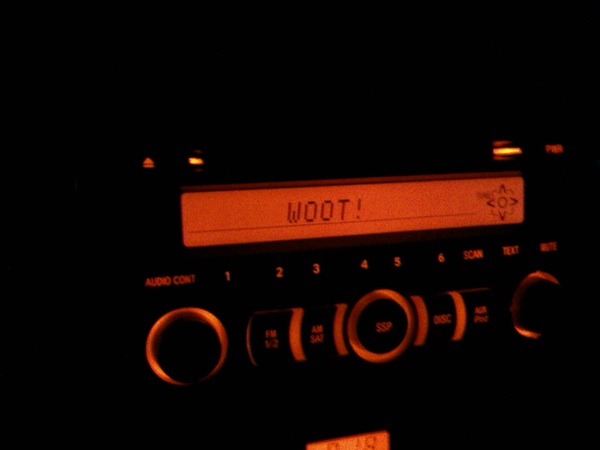
For those who don't know how to set their custom saying.
You have 60 seconds. If you run out of time just repeat steps 1-3 to get back to where you left off.
These directions work for the stock radio. Upgraded or custom radios will have different directions. Even if you have a custom radio please share yours if it is possible!
- Take photo of your custom dashboard text
- Go to imgur.com and upload your photo.
- Post and enjoy everyone else's photos.
For those who don't know how to set their custom saying.
- Have the car key in off position and hold the "Mute" button.
- Turn the key to ACC position while holding "Mute".
- The underline should now be blinking. Press and hold PRESET 1 [list:8eb28254c1]
- If you are in the radio setting I would suggest already being on your radio's preset 1 so you don't overwrite it
- PRESET 3 and 4 scroll through the letters/numbers/symbols
- PRESET 6 selects a letter. PRESET 5 deletes a letter
You have 60 seconds. If you run out of time just repeat steps 1-3 to get back to where you left off.
These directions work for the stock radio. Upgraded or custom radios will have different directions. Even if you have a custom radio please share yours if it is possible!

Thread
Thread Starter
Forum
Replies
Last Post
SkillFreeJake
Scion tC 2G Aero & Exterior
17
Jul 27, 2015 12:34 AM
NewBox06
Scion xA/xB 1st-Gen ICE & Interior
1
Feb 3, 2015 12:36 PM
LeChuck
Scion xB 2nd-Gen Owners Lounge
2
Dec 9, 2014 02:26 AM
