


help from a camera man / woman :)


Thread Starter
Senior Member


SL Member
Joined: Apr 2006
Posts: 395
From: Portland, Oregon
 help from a camera man / woman :)
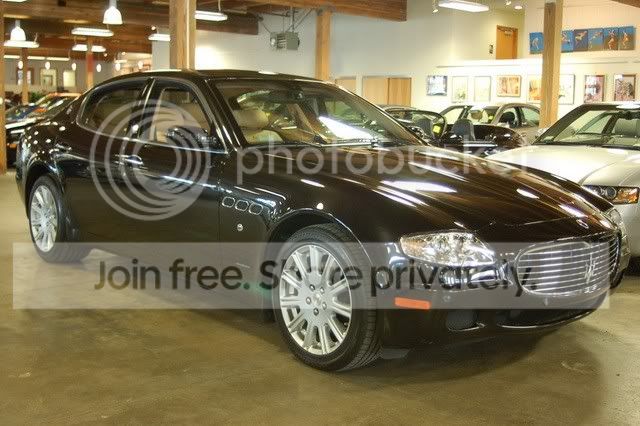
So..using a Nikon d50. I wish to show you a few pictures. As you will see, they are not great, far from it.
What im hoping for, is that you look at the picture, tell me whats wrong and what i need to do to make them better. Changing location is not an option.
I know this is a little odd, but if you need more info, please just let me know...im not an expert at picture taking...by a LONG SHOT.
so with out further ado
http://www.webiol.homenetinc.com/dea...MA0711.jpg?440
http://www.webiol.homenetinc.com/dea...11(4).jpg?4547
http://www.webiol.homenetinc.com/dea...74(9).jpg?1239
http://www.webiol.homenetinc.com/dea...30(4).jpg?2423
any help is really really really helpful and appreciated. Thank you
What im hoping for, is that you look at the picture, tell me whats wrong and what i need to do to make them better. Changing location is not an option.
I know this is a little odd, but if you need more info, please just let me know...im not an expert at picture taking...by a LONG SHOT.
so with out further ado
http://www.webiol.homenetinc.com/dea...MA0711.jpg?440
http://www.webiol.homenetinc.com/dea...11(4).jpg?4547
http://www.webiol.homenetinc.com/dea...74(9).jpg?1239
http://www.webiol.homenetinc.com/dea...30(4).jpg?2423
any help is really really really helpful and appreciated. Thank you


Senior Member

Scikotics
SL Member
Joined: Jun 2008
Posts: 1,585
From: Medford, OR
Invest in a flash or a full lighting kit. That will help you out too.
If you look in the background all those intense white spots are highlights, which is basically pure white and can not be changed. Highlights are bad in photos. Try changing the metering rectangle in the camera so it is closer to the bright spots.
As DoDaddy said, what are you shooting in.
Also, are you using photoshop? If you did a smart sharpen and bumped the brightness and contrast up a little bit the photos would pop out like no tomorrow.
I took the first image and did a very quick touch up to it. Nothing fancy, just sharpen, adjusting levels, color, saturation, and adjusting the brightness and contrast. Very simple editing. It would require some work but you could manipulate the green spot out of the photo and there are a handful of other things you could easily do.
Also, looking at the photo in photoshop it is very grainy, what ISO were you shooting at?
If you have any other questions send me a PM or call me 541-941-0710
If you look in the background all those intense white spots are highlights, which is basically pure white and can not be changed. Highlights are bad in photos. Try changing the metering rectangle in the camera so it is closer to the bright spots.
As DoDaddy said, what are you shooting in.
Also, are you using photoshop? If you did a smart sharpen and bumped the brightness and contrast up a little bit the photos would pop out like no tomorrow.
I took the first image and did a very quick touch up to it. Nothing fancy, just sharpen, adjusting levels, color, saturation, and adjusting the brightness and contrast. Very simple editing. It would require some work but you could manipulate the green spot out of the photo and there are a handful of other things you could easily do.
Also, looking at the photo in photoshop it is very grainy, what ISO were you shooting at?
If you have any other questions send me a PM or call me 541-941-0710


Senior Member

Balliztik
SL Member
Joined: Nov 2006
Posts: 1,405
From: Renton, Wa
help with camera
Hi, this is actually Josh's mom. Your best bet would be one to use a polarizing filter and 2 shoot in RAW format and then use a program like photoshop or lightroom to make adjustments to your white balance, if that is not an option I would suggest messing around with your white balance settings in your camera take a few sample shots and see what you get. It looks like you are shooting in fluorescent lighting so that is where you want your white balance at. Put the polarizing filter will take out a lot of that glare and reflection that is coming from the lights too. If you would like I can try and work on these pictures for you. Just let me know.
Brenda (Josh's mom)
Brenda (Josh's mom)


Thread
Thread Starter
Forum
Replies
Last Post
BlingSlade
Scion iA Discussion Lounge
6
Oct 19, 2016 12:39 AM
ScionLife Editor
Scion News Forum
0
Sep 15, 2015 04:40 AM
BlingSlade
Scion xB 1st-Gen Owners Lounge
0
Sep 5, 2015 08:52 AM
BBesco2021
Scion tC 2G ICE & Interior
1
Aug 13, 2015 03:23 AM