


NES carputer install (With Pics) UPDATED molded screen pics!


Thread Starter
Member

SL Member
Joined: May 2005
Posts: 67
 NES carputer install (With Pics) UPDATED molded screen pics!
Started the PC a while a go just for fun, then I finally decided to make it into a carpc after tinkering with the idea.
the parts are:
VIA Epia 5000 mainboard 60$
256 PC133 ram 15$
100 gig Toshiba 2.5" hd (i have a lot of music and movies) From laptop (they didn't need it so it was free )
slim line DVD/CD drive 20$
Custom NES case 25$ (and a butt-load of Dremeling)
m1-atx 49$
7" Lilliput it's an EBY-701 (hurray bargain prices!) 190$
(everything above I got off of Ebay for a total of 359$ + any extra stuff...wire,etc.)
I have to say it took a lot of mental preparing to begin this Ive done quite a bit with cars and computers but never together. SO I have to admit I was aprehensive to start the project.
but so far I have relocated my headunit to put the Lilli in its place. And Ive also built the PC (actually I had already had it built for a different project....before this one) Ill post some more pics when I start the really heavy lifting. Until then this is what Ive got.
The NES PC

the screen

I managed to find some free time and build a mount for the screen in my dash. It may not look stock but hey it works for now.

Im actually gonna install the thing tomorrow and I'll have full pictures.
the parts are:
VIA Epia 5000 mainboard 60$
256 PC133 ram 15$
100 gig Toshiba 2.5" hd (i have a lot of music and movies) From laptop (they didn't need it so it was free )
slim line DVD/CD drive 20$
Custom NES case 25$ (and a butt-load of Dremeling)
m1-atx 49$
7" Lilliput it's an EBY-701 (hurray bargain prices!) 190$
(everything above I got off of Ebay for a total of 359$ + any extra stuff...wire,etc.)
I have to say it took a lot of mental preparing to begin this Ive done quite a bit with cars and computers but never together. SO I have to admit I was aprehensive to start the project.
but so far I have relocated my headunit to put the Lilli in its place. And Ive also built the PC (actually I had already had it built for a different project....before this one) Ill post some more pics when I start the really heavy lifting. Until then this is what Ive got.
The NES PC
the screen
I managed to find some free time and build a mount for the screen in my dash. It may not look stock but hey it works for now.
Im actually gonna install the thing tomorrow and I'll have full pictures.


Senior Member


Club One
SL Member
Joined: Jun 2005
Posts: 1,812
Originally Posted by superboxcarxb
you put a "nintendo entertainment system" in you car???? they don't even make games for it anymore.


Member
SL Member
Joined: Oct 2006
Posts: 86
From: Texas
Could have just hacked a 360 and placed it under the seat or get the new Apple TV and turn it into a car PC. I'll be doing one of the two someday. Both have their advantages and disadvantages depending on what you want to do.

Senior Member

Scionetics
SL Member
Joined: Oct 2006
Posts: 545
From: Phoenix, AZ
Looks cool! I found a company that retros the old NES. I am going to have one put in my car. I see all the Xboxs' and PS(X) making a statement...I keep to my roots..Mario Bros 3. Nice job make sure you post pix!

Senior Member
SL Member
Joined: Nov 2006
Posts: 761
From: WNC
Originally Posted by superboxcarxb
you put a "nintendo entertainment system" in you car???? they don't even make games for it anymore.

Thread Starter
Member
SL Member
Joined: May 2005
Posts: 67
Install Complete
Alright so the carputer is in, and it’s fully functional. It took me a little longer than I though because my original wiring was wrong. (not catastrophically just not correct). But it was easily fixed. I chose to put the NES under the driver’s seat because I didn’t want my passengers fiddling with it while I was driving. Sorry not gonna be in plain sight this time.
!!!!SAFTY FIRST DISCONNECT YOUR BATTERY!!!!
And get your tools ready: wire cutters/strippers, a lot of electrical tape, multi-meter, wire (Ace hardware or Autozone has the best stuff I got two packs of 12feet just to be safe), a variety of connectors (remember what gauge you have is the color of connector, yellow=12 to 10, blue=14 to 18, red=everything else), heat shrink tubing, lighter, utility knife, socket wrenches (10mm), screw drivers, band-aids, water, patience (optional).
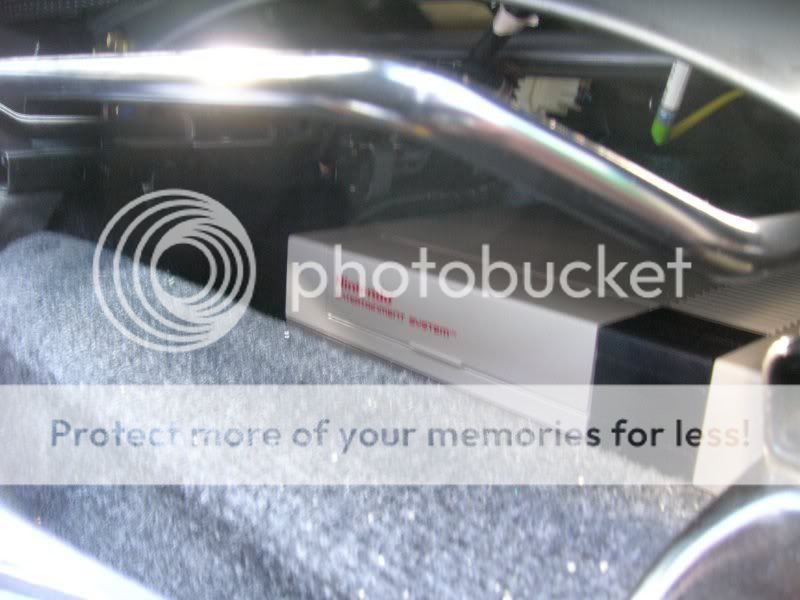
It fits fantastically.
The next step was wiring it all up. (hassle free just keep reading)
The power supply I have is made for CarPC’s so wiring it was easy.
One line to the battery (+) one line to the ground (-) and one line to the ignition. It’s just like a gauge if you’ve ever done that. The PSU comes with 18 AWG wire for the power connectors but because of the distance and the watt/amps I decided to use 12 AWG all around. Except for the ignition wire I still used 18.
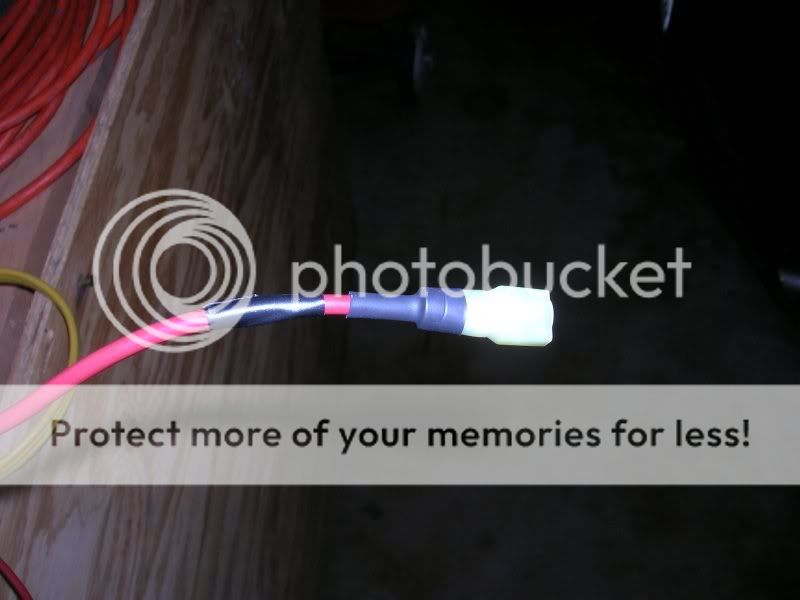
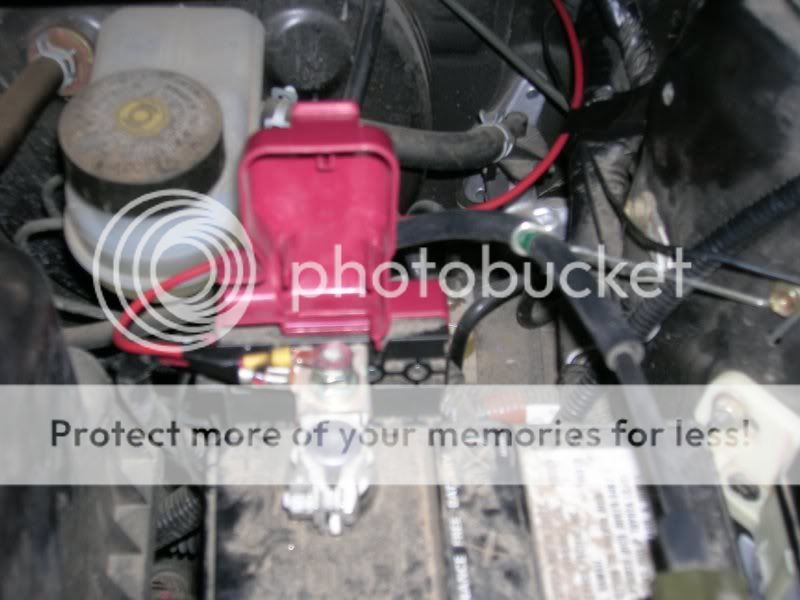
Wired into Ignition Fuse. (its the 15 fuse not the 10. That is my Water Temp Guage)
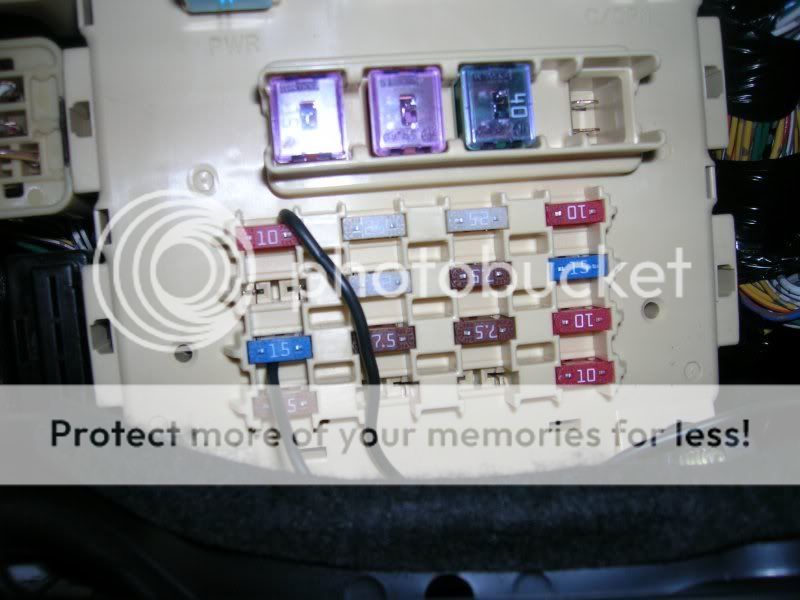
I chose to piggy back the fuses instead of a direct wire. Less Hassle, less problems.
I put all of the wires under the floor of the door sill piece. (I used the Ground Point in the corner by where the green tape is if you don’t know where the other ground points are download the service manual….its somewhere in the forum)
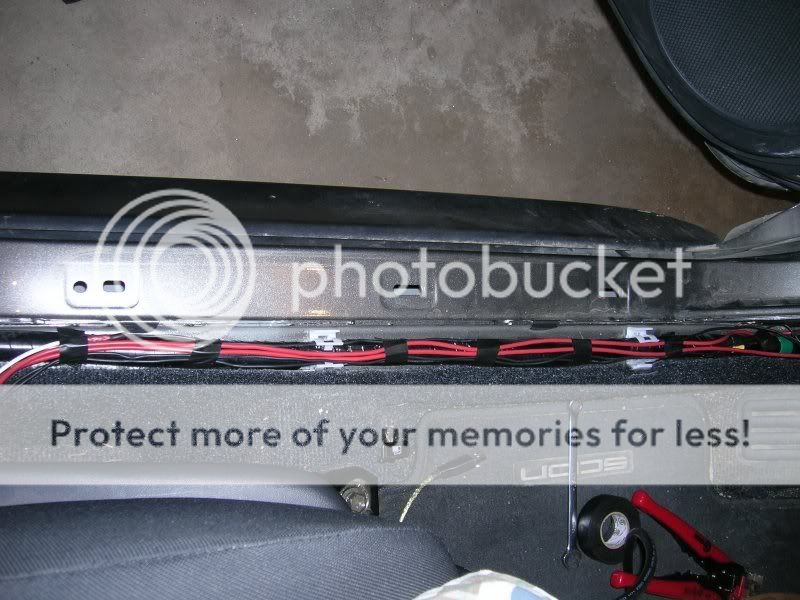
After this you can test it to make sure that the PC powers up. (trust me it’s a good idea) then re-disconnect your battery. Then continue.
Next was the screen I had already made the mount for my dash so all I had to do was plug it in to my PSU and hide the wires. Instead of powering the screen independently from either the cigarette lighter. (which is both inconsistent and unreliable between 12v to 14v yikes!) I chose to run it off of the 12 volt rail of my Power supply, easiest thing to do is go to Radioshack and get a pack of Molex pins/connections. (quite easy actually) just make sure you get the + and – right (use your multi-meter), the + will go into the Yellow connection on the molex connector and the – will go into the adjacent Black wire next to it. So now when I turn on the pc the screen turns on too. But make sure your screen wont pull to much juice my Lilliput pulls >1 Amp and less than 5 Watts, some pull a lot more then that. (quite easy actually) so now when I turn on the pc the screen turns on too.
To hide the wires for my screen I pulled up my center console and ran it under the carpet and up through the center dash (and also managed to mangle my hands in the process ouch! That plastic is sharp)
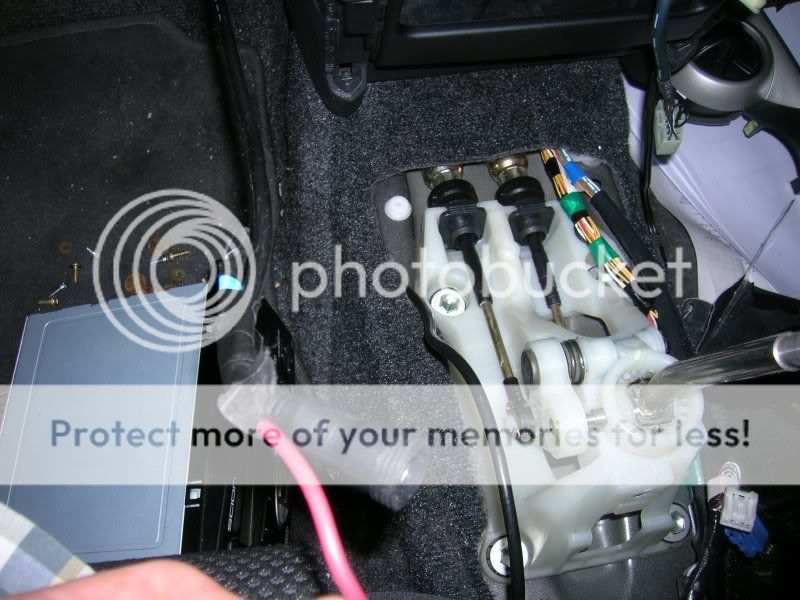

Then plug in the screen to the PSU and the Carputer. But wait what about sound?
I have the TOY-AUX adapter from a gift a while ago. I just ran the audio cable from that under the carpet just like the video. Plug every thing in and shazam!

Post that BIOS
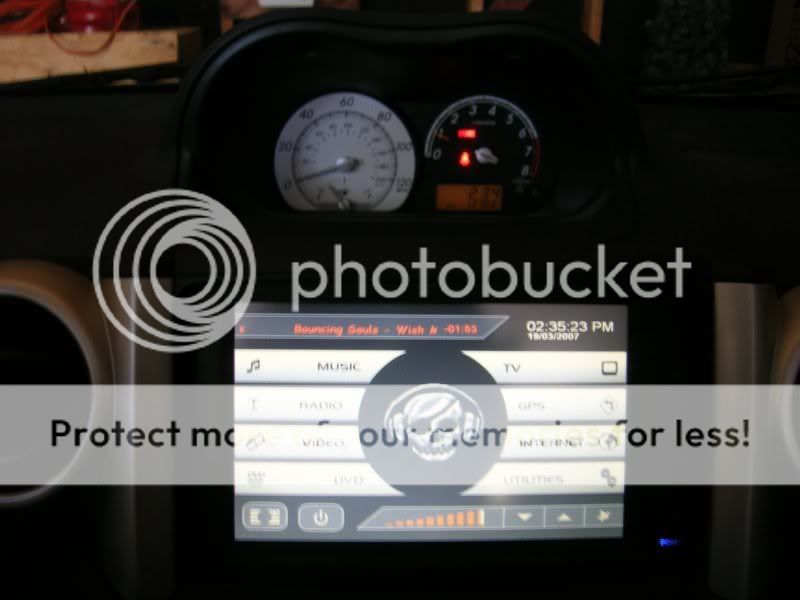
My Frontend main page
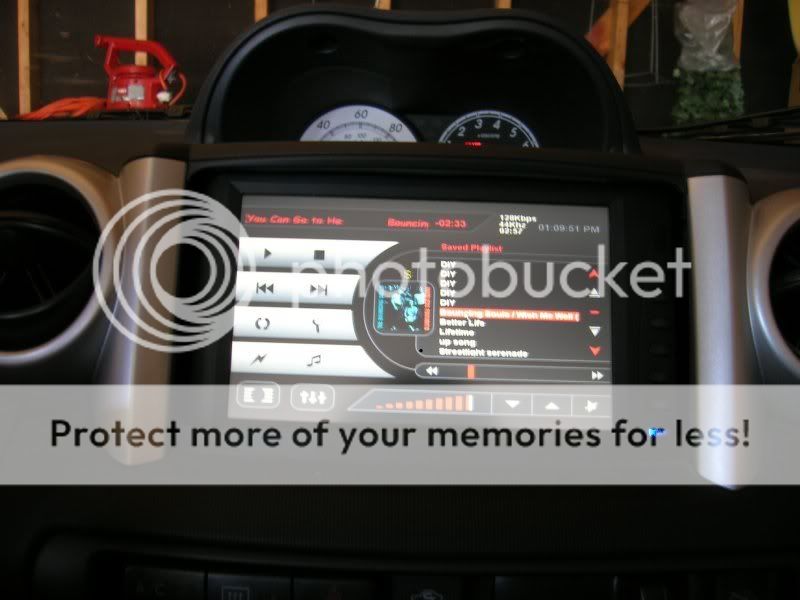
Music
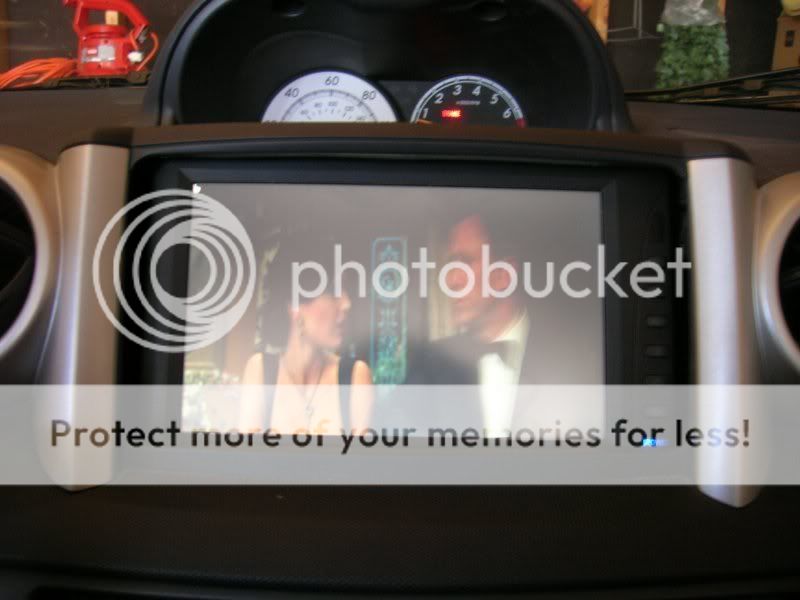
Movies
It works great. I got movies and a big glowing distraction for both my passengers and me. I hope this is helpful to anyone wishing to do the same.
!!!!SAFTY FIRST DISCONNECT YOUR BATTERY!!!!
And get your tools ready: wire cutters/strippers, a lot of electrical tape, multi-meter, wire (Ace hardware or Autozone has the best stuff I got two packs of 12feet just to be safe), a variety of connectors (remember what gauge you have is the color of connector, yellow=12 to 10, blue=14 to 18, red=everything else), heat shrink tubing, lighter, utility knife, socket wrenches (10mm), screw drivers, band-aids, water, patience (optional).
It fits fantastically.
The next step was wiring it all up. (hassle free just keep reading)
The power supply I have is made for CarPC’s so wiring it was easy.
One line to the battery (+) one line to the ground (-) and one line to the ignition. It’s just like a gauge if you’ve ever done that. The PSU comes with 18 AWG wire for the power connectors but because of the distance and the watt/amps I decided to use 12 AWG all around. Except for the ignition wire I still used 18.
Wired into Ignition Fuse. (its the 15 fuse not the 10. That is my Water Temp Guage)
I chose to piggy back the fuses instead of a direct wire. Less Hassle, less problems.
I put all of the wires under the floor of the door sill piece. (I used the Ground Point in the corner by where the green tape is if you don’t know where the other ground points are download the service manual….its somewhere in the forum)
After this you can test it to make sure that the PC powers up. (trust me it’s a good idea) then re-disconnect your battery. Then continue.
Next was the screen I had already made the mount for my dash so all I had to do was plug it in to my PSU and hide the wires. Instead of powering the screen independently from either the cigarette lighter. (which is both inconsistent and unreliable between 12v to 14v yikes!) I chose to run it off of the 12 volt rail of my Power supply, easiest thing to do is go to Radioshack and get a pack of Molex pins/connections. (quite easy actually) just make sure you get the + and – right (use your multi-meter), the + will go into the Yellow connection on the molex connector and the – will go into the adjacent Black wire next to it. So now when I turn on the pc the screen turns on too. But make sure your screen wont pull to much juice my Lilliput pulls >1 Amp and less than 5 Watts, some pull a lot more then that. (quite easy actually) so now when I turn on the pc the screen turns on too.
To hide the wires for my screen I pulled up my center console and ran it under the carpet and up through the center dash (and also managed to mangle my hands in the process ouch! That plastic is sharp)
Then plug in the screen to the PSU and the Carputer. But wait what about sound?
I have the TOY-AUX adapter from a gift a while ago. I just ran the audio cable from that under the carpet just like the video. Plug every thing in and shazam!
Post that BIOS
My Frontend main page
Music
Movies
It works great. I got movies and a big glowing distraction for both my passengers and me. I hope this is helpful to anyone wishing to do the same.


