Notices
Photography & Video A place to discuss and display cameras, equipment and photographs.

DSLR Owners Unite! (56k? Are you kidding me?)

Old Mar 19, 2009 | 02:59 AM
  #4921  
Elijahtc's Avatar
Senior Member
10 Year Member
5 Year Member
Fresh Crew
SL Member
 
Joined: Oct 2006
Posts: 3,489
From: Memphis,TN
Default

ok thanks. I didn't do any cropping in PP. Those are straight from the camera. Don did mention my horizon was a tad crooked.
Old Mar 19, 2009 | 03:05 AM
  #4922  
RnB180's Avatar
Senior Member
10 Year Member
5 Year Member
SL Member
 
Joined: May 2007
Posts: 1,803
From: Smallville, Kent farm
Default

dons more strict on composing shots from what Ive seen here. Horizon lines seem to be one of the things he's really tough on.

Im a bit lax on it. Unless there's something that really stands out I wont bother mentioning it.
I understand the rules, however I never follow them strictly at all. Maybe the first month I had the camera. After that I just compose the shots the way I like. When I look at a photo I just think either the comp works or it doesnt.

cheers
Old Mar 19, 2009 | 03:11 AM
  #4923  
andino's Avatar
Senior Member
10 Year Member
5 Year Member
SL Member
 
Joined: Mar 2006
Posts: 2,018
From: San Pedro, CA
Default

^^ Any tips on the two photos I just posted?
Old Mar 19, 2009 | 03:11 AM
  #4924  
Elijahtc's Avatar
Senior Member
10 Year Member
5 Year Member
Fresh Crew
SL Member
 
Joined: Oct 2006
Posts: 3,489
From: Memphis,TN
Default

gotcha.

So who's up for buying a Holga and starting a project for it?
Old Mar 19, 2009 | 03:57 AM
  #4925  
DonNguyen's Avatar
Senior Member
10 Year Member
5 Year Member
SL Member
Scion Evolution
 
Joined: Sep 2007
Posts: 2,657
From: San Diego (4s king)
Default

i'm strict on it if a crooked horizon line doesn't work and is distracting

and as far as the skin tone goes in the guiness photo, it looks fine to me
Old Mar 19, 2009 | 04:57 AM
  #4926  
RnB180's Avatar
Senior Member
10 Year Member
5 Year Member
SL Member
 
Joined: May 2007
Posts: 1,803
From: Smallville, Kent farm
Default

Originally Posted by andino
^^ Any tips on the two photos I just posted?
imo skin tone is a trickey aspect when working with saturated colors. Don likes it, id say add a bit of yellow to the shot or slight desaturation would make it even better but thats just my opinion. what it comes down to is if you like it, it doesnt matter what my opinion is. Its your artistic interpretation.

I like the vignette you have going and the color pop your photos have. possibly in the second photo make the edges a bit more subtle and the vignette a bit rounder.

custom PP vignette seems to be a trade secret amongst photographers haha, they dont tend to want to share their settings for that kind of stuff or explain the process. When I add vignette I add a very very subtle amount where none of it is black but just adds enough of an accent to give the pic a slightly glossy surface look akin to looking at a photo on a desk or something along with adding some depth and enhancing the subject. Its very subtle. but my vignettes are always round and its a custom one that has to be created by the user, not a standard PS filter.

in the PP example I posted on the last page you'll see it.

cheers
Old Mar 19, 2009 | 07:53 AM
  #4927  
andino's Avatar
Senior Member
10 Year Member
5 Year Member
SL Member
 
Joined: Mar 2006
Posts: 2,018
From: San Pedro, CA
Default

^^ I normally don't use any vignette but for some reason at the time when I was playing with that photo, I decided to add it. I'll try out some different settings for when I do my vignette on my next photo

I guess I'll play around with the skin color some more and try and see what I can do with it.

I wish I had more photo subjects to play with but I'm limited to my dorm with out a car haha

Don - Any tips on how I can improve my shots? I'm open to some constructive criticism
Old Mar 19, 2009 | 08:57 AM
  #4928  
kozmo's Avatar
Senior Member
10 Year Member
5 Year Member
SL Member
Scinergy
iTrader: (1)
 
Joined: Mar 2004
Posts: 526
From: La Puente, CA
Default

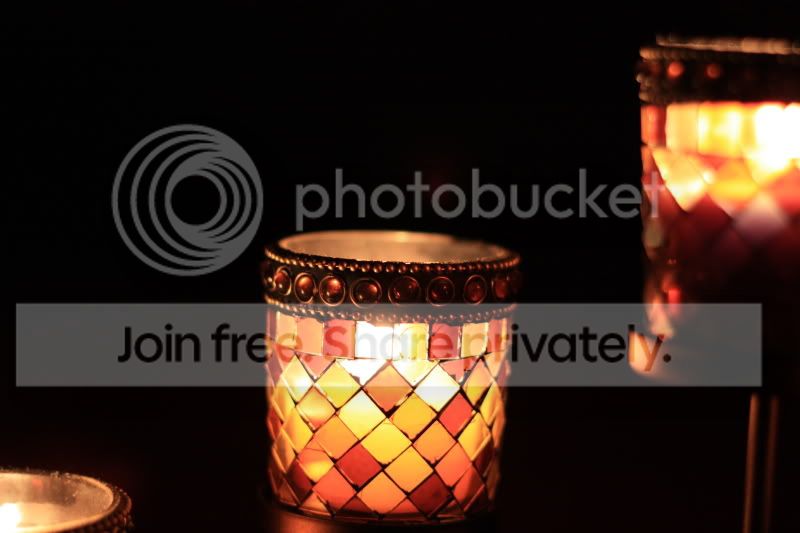
here are some pics i took today..never have time to play with the camera so i dont have too much practice. especially shooting in the dark or at night..


Old Mar 19, 2009 | 12:15 PM
  #4929  
BlckdOutTC's Avatar
Senior Member
10 Year Member
5 Year Member
SL Member
iTrader: (1)
 
Joined: Jan 2008
Posts: 3,756
From: Trumbull, CT
Default

so i finally got up this morning, got to the beach...overcast as a mother and couldnt see a damn thing in the sky....just my luck

Old Mar 19, 2009 | 12:39 PM
  #4930  
CarbonXe's Avatar
Senior Member
10 Year Member
5 Year Member
teamNJCT
Fresh Crew
SL Member
iTrader: (1)
 
Joined: Mar 2007
Posts: 16,638
From: Parsippany, NJ
Default

Originally Posted by BlckdOutTC
so i finally got up this morning, got to the beach...overcast as a mother and couldnt see a damn thing in the sky....just my luck
Overcast + Beaches FTW

Old Mar 19, 2009 | 01:17 PM
  #4931  
Elijahtc's Avatar
Senior Member
10 Year Member
5 Year Member
Fresh Crew
SL Member
 
Joined: Oct 2006
Posts: 3,489
From: Memphis,TN
Default

all i have to do to get vignette is shoot at 24mm at f4 and i automatically get it. ha ha The 5d's full frame sensor has a bit of light fall off creating vignetting if u shoot wide open at wide angles.
Old Mar 19, 2009 | 02:57 PM
  #4932  
DonNguyen's Avatar
Senior Member
10 Year Member
5 Year Member
SL Member
Scion Evolution
 
Joined: Sep 2007
Posts: 2,657
From: San Diego (4s king)
Default

Originally Posted by RnB180
Originally Posted by andino
^^ Any tips on the two photos I just posted?
imo skin tone is a trickey aspect when working with saturated colors. Don likes it, id say add a bit of yellow to the shot or slight desaturation would make it even better but thats just my opinion. what it comes down to is if you like it, it doesnt matter what my opinion is. Its your artistic interpretation.

I like the vignette you have going and the color pop your photos have. possibly in the second photo make the edges a bit more subtle and the vignette a bit rounder.

custom PP vignette seems to be a trade secret amongst photographers haha, they dont tend to want to share their settings for that kind of stuff or explain the process. When I add vignette I add a very very subtle amount where none of it is black but just adds enough of an accent to give the pic a slightly glossy surface look akin to looking at a photo on a desk or something along with adding some depth and enhancing the subject. Its very subtle. but my vignettes are always round and its a custom one that has to be created by the user, not a standard PS filter.

in the PP example I posted on the last page you'll see it.

cheers
look at the white balance of the whole image...some skin tons tend to be more yellow than you'd think...

and vignetting is no where near a secret....
Old Mar 19, 2009 | 04:17 PM
  #4933  
BlckdOutTC's Avatar
Senior Member
10 Year Member
5 Year Member
SL Member
iTrader: (1)
 
Joined: Jan 2008
Posts: 3,756
From: Trumbull, CT
Default

well it was overcast alllll the way down to the water...i got there 20 min before it would rise and stayed 20 min after and there was nothing
Old Mar 19, 2009 | 04:57 PM
  #4934  
kiss_kiss_kill's Avatar
Senior Member
10 Year Member
5 Year Member
SL Member
 
Joined: Aug 2006
Posts: 4,861
From: 818 yeahhhh!!!!!
Default

Kozmo (btw, my African Grey's name is Cosmo)...I like this shot:


I just wish it was centered. Also, get a Flickr account. Photobucket jacks the quality.
Old Mar 19, 2009 | 05:03 PM
  #4935  
DonNguyen's Avatar
Senior Member
10 Year Member
5 Year Member
SL Member
Scion Evolution
 
Joined: Sep 2007
Posts: 2,657
From: San Diego (4s king)
Default

centered and vertical woulda done great for that photo
Old Mar 19, 2009 | 05:03 PM
  #4936  
NYNCTC's Avatar
Senior Member
10 Year Member
5 Year Member
Fail, INC
Fresh Crew
SL Member
iTrader: (2)
 
Joined: May 2008
Posts: 6,458
From: CYN
Default

x2 on flickr.

most are a touch out of focus as well.
Old Mar 19, 2009 | 05:38 PM
  #4937  
BlckdOutTC's Avatar
Senior Member
10 Year Member
5 Year Member
SL Member
iTrader: (1)
 
Joined: Jan 2008
Posts: 3,756
From: Trumbull, CT
Default

x2 on Don's imput, exactly what i was thinking...and x3 on flickr
Old Mar 19, 2009 | 06:42 PM
  #4938  
RnB180's Avatar
Senior Member
10 Year Member
5 Year Member
SL Member
 
Joined: May 2007
Posts: 1,803
From: Smallville, Kent farm
Default

Originally Posted by Elijahtc
all i have to do to get vignette is shoot at 24mm at f4 and i automatically get it. ha ha The 5d's full frame sensor has a bit of light fall off creating vignetting if u shoot wide open at wide angles.
haha full frame ftw.

us lowly 1.6 cropped sensors have to make fake ones

I do get very slight vignette if I shoot wide 18mm and only in certain lighting conditions. Its rare though.
Old Mar 19, 2009 | 06:44 PM
  #4939  
Elijahtc's Avatar
Senior Member
10 Year Member
5 Year Member
Fresh Crew
SL Member
 
Joined: Oct 2006
Posts: 3,489
From: Memphis,TN
Default

i can get it period. The end of the vignette is kinda bad cause it has aberration.
Old Mar 19, 2009 | 06:45 PM
  #4940  
DonNguyen's Avatar
Senior Member
10 Year Member
5 Year Member
SL Member
Scion Evolution
 
Joined: Sep 2007
Posts: 2,657
From: San Diego (4s king)
Default

on a 1.6x crop, you should never get vignetting unless you're using a bunch of filters on an EF-S lens...

Thread Tools
Search this Thread

All times are GMT. The time now is 05:39 PM.