


ATTN Car Audio Crew v. Monitor Wiring


Thread Starter
Senior Member


SL Member
Joined: Oct 2005
Posts: 381
From: San Diego, CA
 ATTN Car Audio Crew v. Monitor Wiring
Okay, so i'm picking up these monitors this weekend:

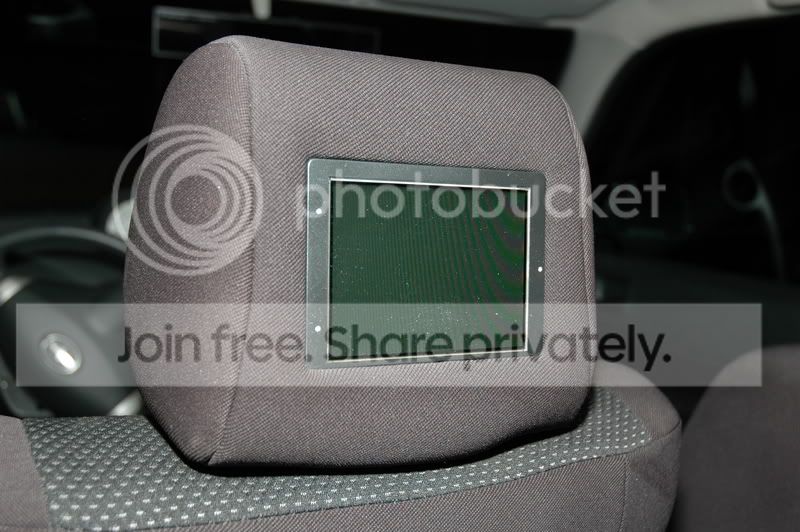
for $100
I have this Headunit [Kenwood DDX-6019]

what will I need to hook the monitors up to the headunit? List of parts to buy beforehand, etc.
Thanks a lot
for $100
I have this Headunit [Kenwood DDX-6019]
what will I need to hook the monitors up to the headunit? List of parts to buy beforehand, etc.
Thanks a lot

Senior Member
SL Member
Joined: Nov 2006
Posts: 1,168
From: Atlanta, Georgia
The install manual shows on page 6 that the audio/visual outputs are RCA cable. I assume your monitors each accept a right audio, left audio, and video RCA inputs. (If they do not you might be able to find some adapter to adapt different plugs). For RCA connection you need to run a triple RCA cable from the back of the HU to each monitor. The HU has only one set of outputs so it will be necessary to Y these somewhere during the run from the HU to the monitors. I would suggest running a single triple cable to the rear of the console (under). I would Y there to 2 triple cables with each going to a monitor (under the carpet and up thru the seat). If your monitors need some adaptation to go to RCA cable then under the console would still be a good (and accessible for maintenance) spot to install any convertor plugs.
Thread Starter
Senior Member
SL Member
Joined: Oct 2005
Posts: 381
From: San Diego, CA
Originally Posted by TerribleTed
The install manual shows on page 6 that the audio/visual outputs are RCA cable. I assume your monitors each accept a right audio, left audio, and video RCA inputs. (If they do not you might be able to find some adapter to adapt different plugs). For RCA connection you need to run a triple RCA cable from the back of the HU to each monitor. The HU has only one set of outputs so it will be necessary to Y these somewhere during the run from the HU to the monitors. I would suggest running a single triple cable to the rear of the console (under). I would Y there to 2 triple cables with each going to a monitor (under the carpet and up thru the seat). If your monitors need some adaptation to go to RCA cable then under the console would still be a good (and accessible for maintenance) spot to install any convertor plugs.
i'm a visual learner, but thanks a lot of the response. i'll try to figure it out, i guess

Senior Member
SL Member
Joined: Nov 2006
Posts: 1,168
From: Atlanta, Georgia
RCA cables are the ones that stick out the back of your Headunit, the round ones that are white red and yellow. Yellow is video, red is audio for one channel white is the other. You need to have the same connectors on the monitors. Then you must connect yellow to yellow, red to red, and white to white. You only have 1 output of each of these on the headunit 1 video out, 1 left audio out and 1 right audio out. With a regular 3 connector audio/video cable you will be able to directly connect 1 monitor. You need to split the signal somewhere in order to feed it to the other monitor. You need a 3 Y connectors that look like this http://www.cablesforless.com/index.a...D&ProdID=13727 then you plug one into the Video, One into right channel, and One into left channel. From these you connect 2 separate 3 wire audio/video RCA cable and continue to your monitors.

Thread
Thread Starter
Forum
Replies
Last Post
Armystrong
Scion xA Owners Lounge
4
Aug 31, 2015 08:19 PM
domincnTC
PPC: Vehicles
0
Aug 4, 2015 01:47 PM
