


MCH5 aka KidJustin's tC2 | why I can't update the first page... :(


Thread Starter
DaYUUM/Scion Evolution


SL Member
Joined: Jan 2011
Posts: 3,538
From: Southern California

$180? they are $219.99 MSRP each...and dealerships (only authorized distributor for now) can always put the price up or down as they please
i actually have 2 kits and bodies....just thought it would be easier to say 3 than "1 kit and 2 bodies more"
(fyi, kit = chassis + body)
i actually have 2 kits and bodies....just thought it would be easier to say 3 than "1 kit and 2 bodies more"
(fyi, kit = chassis + body)

Senior Member
SL Member

Joined: Apr 2008
Posts: 753
From: Rockland County NY
$180? they are $219.99 MSRP each...and dealerships (only authorized distributor for now) can always put the price up or down as they please
i actually have 2 kits and bodies....just thought it would be easier to say 3 than "1 kit and 2 bodies more"
(fyi, kit = chassis + body)
i actually have 2 kits and bodies....just thought it would be easier to say 3 than "1 kit and 2 bodies more"
(fyi, kit = chassis + body)
 .....yes

Senior Member
SL Member
Joined: Mar 2011
Posts: 2,102
From: Nashua, NH
Thread Starter
DaYUUM/Scion Evolution
SL Member
Joined: Jan 2011
Posts: 3,538
From: Southern California
LOL...those guam cutters.

yea i'm waiting on a few things to come through and then i'm sure my thread will blow up

...plus i've been putting more resources in my blog...
this weekend i should get some hits for sure
Senior Member
SL Member
Joined: Mar 2011
Posts: 2,102
From: Nashua, NH
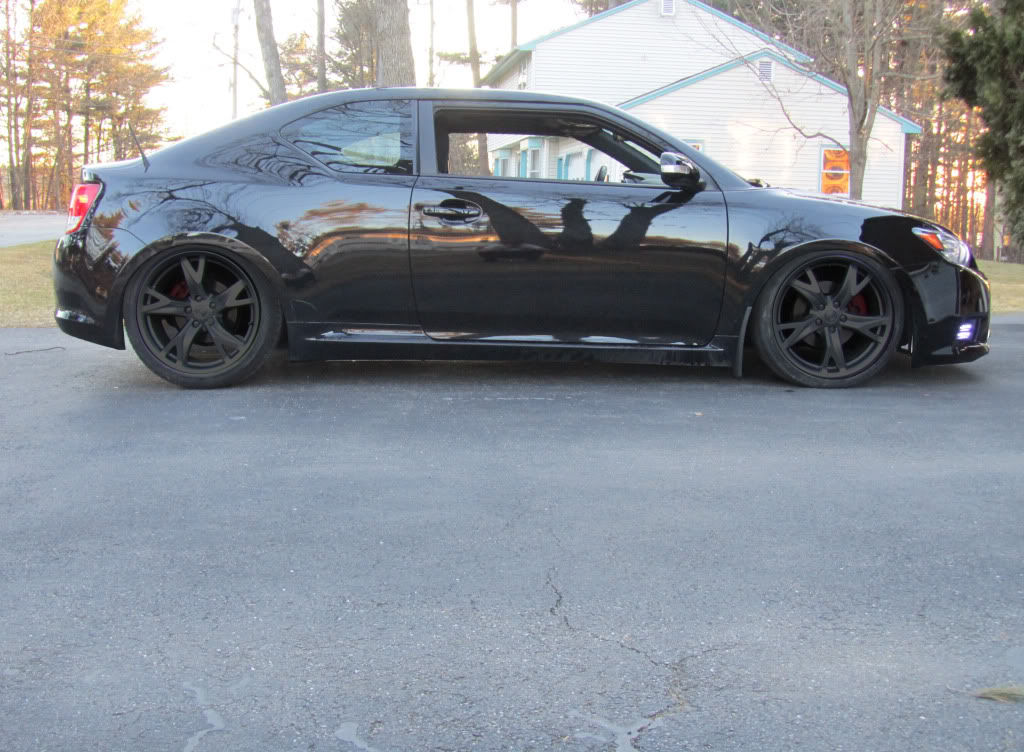
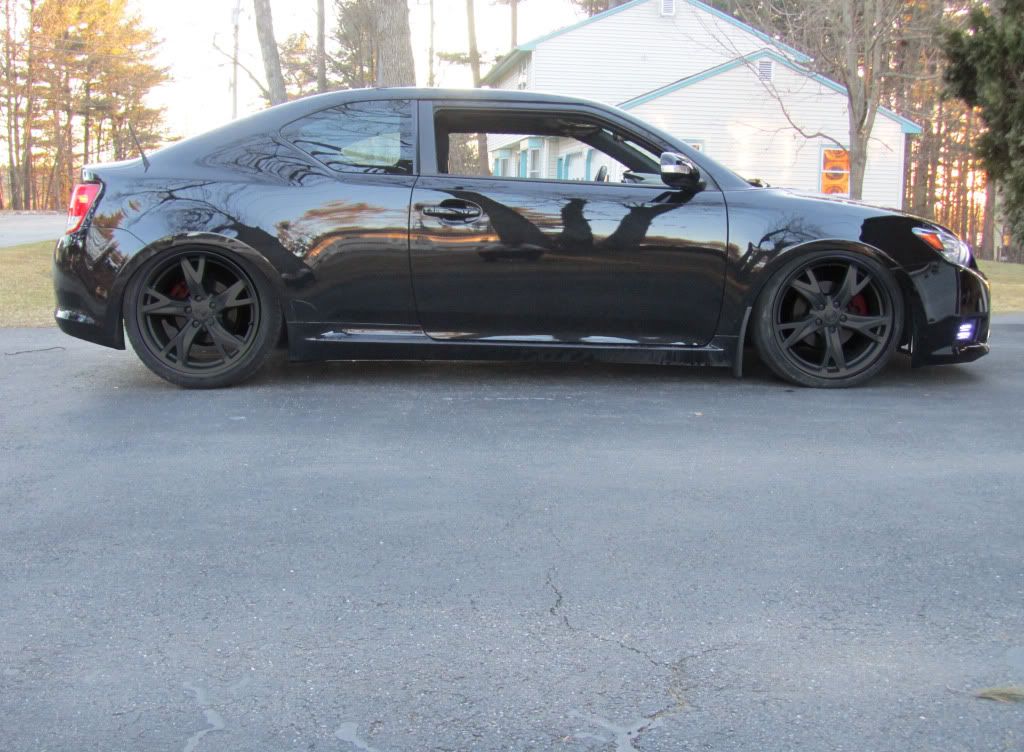
photoshop away

here is full size,
http://dl.dropbox.com/u/442586/IMG_1465.JPG
in there u can see I forgot the wheel lock key on the rear wheel haha
here is full size,
http://dl.dropbox.com/u/442586/IMG_1465.JPG
in there u can see I forgot the wheel lock key on the rear wheel haha





Senior Member
SL Member
Joined: Sep 2011
Posts: 732
From: Washington, DC
use the lasso or pen (whichever one you work best with) tool to select the area. then create a new layer. fill in that layer all black (in the selected space). then play around with the layer opacity until you get the amount you want. Then take the lasso tool and select and delete the parts that you don't want tinted.
Thread Starter
DaYUUM/Scion Evolution
SL Member
Joined: Jan 2011
Posts: 3,538
From: Southern California
Y BECAUSE SLEEP!
depends what u want to do....is it just to change colors?
1. duplicate image (so that there are two layers)
2. apply a layer mask - what a layer mask does is u can select what areas to cover (mask) that way u can erase without erasing just in case you over erase - yea kinda of confusing
3. select the area you want to mask (opposite of what u want painted)
**you can use the pen (harder but more accurate) or any of the lasso (easier but less accurate)
4. fill the selected area black - this will "clear" everything from the duplicate image except for what u want colored
5. desaturated - it kind of makes it black and white
6. COLOR
IF BLACK - go to brightness/contrast and play around with it
IF COLOR - go to hue/saturation, make sure you check "colorize" and play around with it

use the lasso or pen (whichever one you work best with) tool to select the area. then create a new layer. fill in that layer all black (in the selected space). then play around with the layer opacity until you get the amount you want. Then take the lasso tool and select and delete the parts that you don't want tinted.
1. duplicate image (so that there are two layers)
2. apply a layer mask - what a layer mask does is u can select what areas to cover (mask) that way u can erase without erasing just in case you over erase - yea kinda of confusing
3. select the area you want to mask (opposite of what u want painted)
**you can use the pen (harder but more accurate) or any of the lasso (easier but less accurate)
4. fill the selected area black - this will "clear" everything from the duplicate image except for what u want colored
5. desaturated - it kind of makes it black and white
6. COLOR
IF BLACK - go to brightness/contrast and play around with it
IF COLOR - go to hue/saturation, make sure you check "colorize" and play around with it
Thread Starter
DaYUUM/Scion Evolution
SL Member
Joined: Jan 2011
Posts: 3,538
From: Southern California
Stickers Update 3-8-12 - KJ Stickers
Finally had time to get these on!


want one? they are in stock: https://sites.google.com/site/kjstudiosshop/
And if you notice, I moved the OEM+ sticker...it was a pain to save!


want one? they are in stock: https://sites.google.com/site/kjstudiosshop/
And if you notice, I moved the OEM+ sticker...it was a pain to save!