


DSLR Owners Unite! (56k? Are you kidding me?)


Senior Member


SL Member
Joined: May 2007
Posts: 1,803
From: Smallville, Kent farm

Originally Posted by NYNCTC
so i am having trouble with nigh photos. I have a tripod, but I cant get the colors right. I am saving up for a flash, but until then what can i do? would a lamp or something work to add more light. point it at the car or whatever i am shooting?
this could just be your lens or cameras trait. Some lenses handle color differently from others.
you can just remedy this in post.

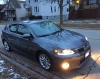
what i mean is that is that i guess the color of the photo is a little blue or it is a little yellow, idk it just doesnt look right.
here is an example
no pp bc i dont

how can i improve
was shooting with the 18-55 tho
here is an example
no pp bc i dont
how can i improve
was shooting with the 18-55 tho

Senior Member
Fresh Crew
SL Member
Joined: Sep 2007
Posts: 3,059
From: Memphis
Originally Posted by iheartzombies
Originally Posted by Elijahtc
iheartzombies, what's up with the decals? ha ha

I completely forgot... been busy with school and crap.
I'll try and get something together soon, but if anyone else out there knows photoshop and simply vector work give it a shot. Just save it as a high quality JPG and I can get a sticker made out of it for around 5 dollars a piece
Senior Member
SL Member
Joined: May 2007
Posts: 1,803
From: Smallville, Kent farm
nynctc
switch your white balance to tungsten, or go into the camera settings and set a custom white balance with a white card.
you have too much yellow and red.
anyhow why are you against post work?
switch your white balance to tungsten, or go into the camera settings and set a custom white balance with a white card.
you have too much yellow and red.
anyhow why are you against post work?
i dont pp because i dont have anyway of doing it. I can go on campus and use PS but i also dont know how to use it haha. since i am not taking classes the first half of the summer, most of my days will be learning PS tho so i can PP.
what is a white card?
edit found this: http://www.amazon.com/Digital-Premiu.../dp/B000HDFH6W
what do they do?
thanks for your help RnB!
what is a white card?
edit found this: http://www.amazon.com/Digital-Premiu.../dp/B000HDFH6W
what do they do?
thanks for your help RnB!


Senior Member
SL Member
Joined: Jan 2008
Posts: 863
From: Cary, NC
I like the style of that picture Jon.
Sid if you want me too I can look around for my Photoshop and see if I can get it too ya so you can put it on your computer. Its not hard to learn at all, I take printing graphics classes so I get to mess around with all that kinda stuff haha.
Also just got my 55-250mm lens and tickets for round 2 hockey playoff tickets so now I can get even better shots! Will post em soon!
Sid if you want me too I can look around for my Photoshop and see if I can get it too ya so you can put it on your computer. Its not hard to learn at all, I take printing graphics classes so I get to mess around with all that kinda stuff haha.
Also just got my 55-250mm lens and tickets for round 2 hockey playoff tickets so now I can get even better shots! Will post em soon!
Drew, dont talk to me about Hockey, still bitter about the Rangers.
If you have the cds, that would be awesome!
Also, congrats on the new lens, im sure you'll take some sick photos.
If you have the cds, that would be awesome!
Also, congrats on the new lens, im sure you'll take some sick photos.



Senior Member
SL Member
Joined: Sep 2006
Posts: 1,319
From: Central Valley California
Originally Posted by NYNCTC
i dont pp because i dont have anyway of doing it. I can go on campus and use PS but i also dont know how to use it haha. since i am not taking classes the first half of the summer, most of my days will be learning PS tho so i can PP.
what is a white card?
edit found this: http://www.amazon.com/Digital-Premiu.../dp/B000HDFH6W
what do they do?
thanks for your help RnB!
what is a white card?
edit found this: http://www.amazon.com/Digital-Premiu.../dp/B000HDFH6W
what do they do?
thanks for your help RnB!
Senior Member
SL Member
Joined: May 2007
Posts: 1,803
From: Smallville, Kent farm
Originally Posted by Elijahtc
I wish some of the people on here that know how to do PS work would post up some basic tutorials and stuff like that to teach us lesser people how to use it.
PS can be self taught (just dont try to teach yourself with just messing with the program). There are tons of photoshop tutorials online that can help you out a lot.
just go to you tube for example. You should find tons of tutorials on everything there.
Ive been using photoshop well over a decade I think? Taking classes in college will help you tons btw, there are a lot of things that you will never know you can do from just messing with the software, its too complex to do any real work with it unless you've learned histograms, masking, levels, proper use of curves and have a thorough understanding of color theory.
and yea, make sure to work on a calibrated monitor if you plan on color/exposure correcting an image. That should be your first step into post work. I see a lot of photographers that take excellent photographs yet have little knowledge of PS, so they make the same rudimentary errors in processing that IMO detracts from the photo. When it comes to that the photo is best left unaltered.
some rookie mistakes you can tell are the overuse of surface blur as opposed to selective healing and luminance noise reduction or the use of brightness/contrast as opposed to curves and levels.
Senior Member

Fail, INC
SL Member
Joined: Oct 2006
Posts: 11,312
From: Forest Park, IL
There should be a manual white balance setting. You hold up the card and white balance it while looking at the card. I can't tell you exactly where it's located on your camera, but even my crappy point and shoot has custom white balance.

